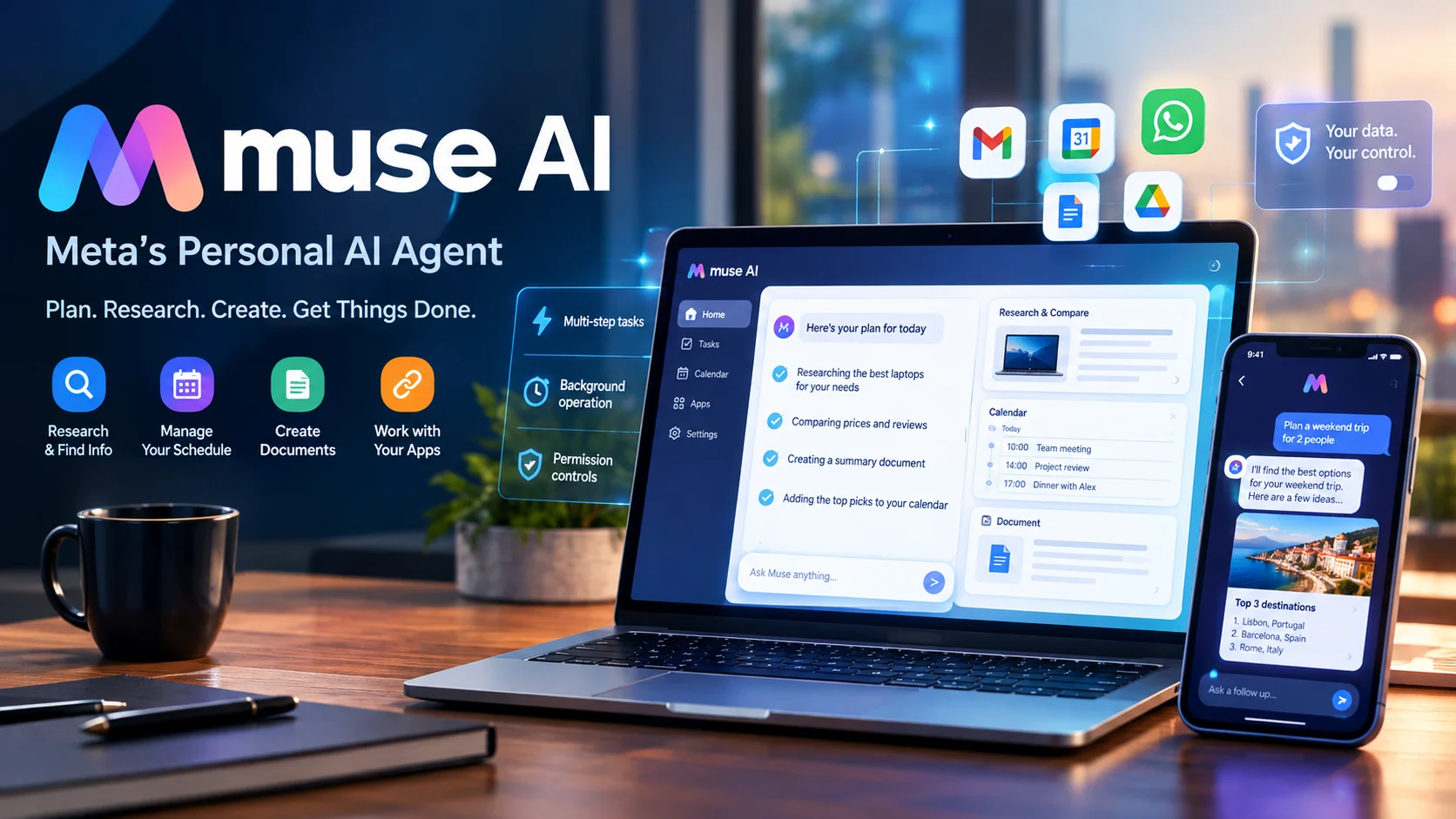
Muse AI is Meta’s personal AI agent, designed to handle multi-step tasks such as researching information, managing schedules, browsing websites, creating documents, and interacting with connected apps. Unlike a conventional chatbot, it can work in the background through a dedicated browsing environment, while permission controls let users review or approve important actions.
Muse AI at a Glance

What it is
A personal AI agent from Meta that can perform tasks, not just answer questions.
Where it works
The Muse app, Mac, and WhatsApp, with access and capabilities depending on the supported experience.
Key capabilities
Web research, document creation, scheduling, connected apps, reminders, shopping, and background tasks.
Pricing
A free tier with usage limits and a paid upgrade option. Exact subscription prices should be confirmed on the official site.
User control
Permission settings, approval steps for certain actions, and an activity trail.
Main consideration
Autonomous actions can still fail, and connected accounts introduce privacy and security considerations.
What Is Muse AI?
Muse AI is Meta’s personal AI agent, introduced in September 2026. Meta positions it as a tool for taking routine work off people’s hands, from organizing calendars to researching purchases and handling tasks across connected services.
The important distinction is that Muse is designed to carry out tasks across multiple steps, rather than merely generate a response to a prompt.
For example, a traditional chatbot can suggest an itinerary for a weekend trip. An AI agent can go further by researching destinations, comparing options, checking availability, and helping complete bookings when the required integrations and permissions are available.
Muse aims to bring these capabilities into a personal assistant that can operate across a user’s digital activities.
Muse AI is not just an image generator
The name can cause confusion. Meta also uses the Muse name for its media-generation technology.
Meta introduced Muse Image and previewed Muse Video in July 2026. Muse Image is designed to generate and edit images, follow detailed instructions, and work with multiple visual references. Muse Video focuses on video generation with native audio support. These are media-generation models, not the same product as the Muse personal AI agent.
Other independent services use similar names for AI image generation, video creation, and music production. When searching for Muse AI, check the developer and official domain before creating an account or purchasing a subscription.
How Does Muse AI Work?
Muse uses an approach known as agentic AI. Instead of producing a single answer and stopping, it can interpret a request, plan a sequence of steps, use available tools, and continue working toward the goal.
1. You describe the goal
Example: Organize next week’s meetings and prepare a briefing.
2. Muse plans the task
It determines which skills, connected services, and research steps may be needed.
3. It uses available tools
It can browse websites, retrieve permitted information, and interact with supported apps.
4. You review important actions
Approval controls and permissions help keep sensitive actions under your control.
5. Muse completes the workflow
It reports progress or results, subject to the task, available access, and any required approvals.
This is a simplified description of the workflow, not a guarantee that every task follows the same sequence. Actual behavior depends on the requested task, connected services, and permissions. Meta describes Muse as an agent that selects the skills it needs and can continue working in the background.
What is Muse Secure VM?
One of Muse’s notable technical features is its Secure VM, a persistent virtual computer with its own browser.
A virtual machine is an isolated computing environment that runs separately from the user’s ordinary desktop session. Muse’s environment is designed to let the agent navigate websites, fill out forms, and carry out browser-based tasks while the user can intervene.
This is useful when a task involves several pages or interactions that a simple chatbot cannot perform directly.
However, a virtual machine is not a guarantee against every security risk. Users should still review permissions, monitor activity, and avoid granting unnecessary access to sensitive accounts.
Key Features of Muse AI
1. Web browsing and task completion
Muse can research information online and perform multi-step browser tasks. Examples include comparing travel options, filling out forms, investigating a product, and assisting with customer-service processes.
Its usefulness depends on the website’s behavior, authentication requirements, available tools, and any restrictions imposed by the service.
For important transactions, review the final details rather than assuming the agent has completed every step correctly.
2. Connected apps and services
Muse supports connections to selected services, including email and calendars, with additional integrations depending on availability.
These connections allow it to work with relevant information instead of relying solely on what you type into a chat. For example, a calendar-related task may involve examining scheduled events and preparing a meeting outline.
Meta also says Muse can build tools when a task requires a capability that does not already exist. This is a product-described capability, not a guarantee that it can integrate with every third-party service.
Before connecting an account, check the specific permissions requested and whether the integration supports the actions you need.
3. Background tasks and reminders
Muse is designed to continue working after you leave the app. It can also set reminders, track goals, and monitor selected information.
For example, you could ask it to monitor a topic and prepare a summary when relevant information changes. The actual monitoring frequency, notification method, and supported conditions depend on the available feature.
This changes the role of an AI assistant. Instead of requiring a new prompt for every step, you can assign a goal and review progress over time.
4. Document and image generation
Muse can create documents and generate images as part of its broader task-completion workflow. These capabilities can help with meeting notes, research summaries, planning materials, and visual concepts.
Meta’s separate Muse Image model adds more specialized image-generation and editing capabilities, including multi-reference composition and tool-assisted refinement. Its availability should not be confused with access to every feature of the Muse personal agent.
AI-generated documents and visuals still need review for factual accuracy, formatting, intellectual-property concerns, and suitability for their intended audience.
5. Shopping and booking assistance
Muse can help research purchases, compare options, and assist with bookings. Meta also describes purchase-related safeguards, including one-time card numbers at checkout and approval controls for certain actions.
These features may reduce repetitive work, but availability varies by transaction and service.
Always verify the merchant, total price, cancellation terms, shipping details, and booking confirmation. An agent’s summary should not replace the official receipt or confirmation.
6. User permissions and activity history
An AI agent that can act on your behalf needs stronger controls than a system that only generates text.
Meta says Muse lets users configure permissions for connected services, approve certain actions, and review an activity trail. Users can choose whether to permit particular actions once, allow them more broadly, or deny them, depending on the permission.
These controls are important, but they do not remove the need for oversight. A permitted action may still be based on incorrect information or a misunderstood request.
Practical Use Cases: What Can You Do With Muse AI?
Muse is aimed at personal productivity and everyday task execution. The following examples illustrate where its agent-based approach may help.
| Use case | Example task | What to verify |
|---|---|---|
| Work planning | Review a calendar and prepare meeting briefs | Dates, attendees, and source information |
| Travel | Research routes, compare hotels, and help organize bookings | Final prices, availability, and cancellation policies |
| Shopping | Compare products and assist with checkout | Merchant legitimacy and payment details |
| Research | Gather sources and create a summary | Source quality, dates, and factual claims |
| Small business | Organize appointments and prepare routine business documents | Customer data, accuracy, and authorization |
| Personal organization | Track goals, set reminders, and maintain a task list | Notification settings and task completion |
Example: Preparing for a business meeting
Imagine a small-business owner has three client meetings on the following day.
They could ask Muse to review the calendar, gather relevant information from connected sources, prepare individual briefing documents, and organize the key questions for each meeting.
The time-saving benefit comes from coordinating several steps. The owner still needs to verify the facts, review confidential information, and correct any mistakes before sharing the documents.
Example: Planning a family trip
A user could ask Muse to compare destinations, review travel dates, research accommodation, and prepare an itinerary.
If booking functions are available, the agent may help proceed with reservations. The user should still approve purchases and confirm that the final itinerary matches their preferences.
These examples show the potential of agentic AI, rather than guaranteed outcomes for every account or location.
Muse AI Pricing: Is It Free?
Meta’s official Muse page states that Muse is available for free with a usage limit. Users who reach that limit can wait for it to refresh or upgrade to a paid subscription.
As of October 22, 2026, the official information reviewed for this article does not establish a single universal paid price that can be confidently quoted for every user.
| Pricing factor | What to know |
|---|---|
| Free access | Available with usage limits |
| Paid subscription | Offered as an upgrade when more usage is needed |
| Usage allowances | Confirm the current limit in your account |
| Connected services | Availability may vary by integration |
| Business use | Check the relevant plan, permissions, and feature availability |
| Muse Image and other products | May have separate access conditions or pricing |
How to evaluate the cost
Do not judge an AI agent by its subscription price alone. Evaluate how much useful work it completes and how much supervision that work requires.
Consider these questions before upgrading:
- How many tasks can you complete within the free allowance?
- Does the paid plan provide enough additional usage?
- Are your required apps and workflows supported?
- How much time do you spend correcting errors?
- Are there separate charges for services involved in bookings or purchases?
For a person using Muse occasionally, free access may be sufficient. Someone delegating frequent, multi-step work may benefit from a paid plan if the extra usage produces measurable value.
Check the official Muse website for current subscription details before purchasing.
Is Muse AI Safe? Privacy and Security Explained
Privacy is one of the most important considerations when an AI agent can interact with email, calendars, browsers, and shopping services.
Meta describes Muse as having built-in security controls, permission management, and protections intended to prevent unauthorized actions. Its product information also describes a credential store designed to keep login details inaccessible to the agent, along with one-time card numbers for supported shopping transactions.
These are descriptions of the company’s product design. They should not be interpreted as an independent guarantee that every task, integration, or account is risk-free.
Important privacy considerations
Connected-account access: An agent may need access to personal information to complete a task. Grant only the permissions necessary for the workflow.
Sensitive information: Avoid exposing confidential customer records, financial details, or private documents unless the task genuinely requires them and the applicable data-handling terms are acceptable.
Action approval: Review purchase, messaging, and information-sharing permissions. Where available, require approval for consequential actions.
Activity monitoring: Review what the agent has done, especially when it interacts with external websites or services.
Data handling: Read the applicable privacy policy and terms to understand processing, retention, and sharing practices. Do not assume that security controls automatically mean zero data retention.
For businesses, the assessment should also cover employee access, account ownership, customer-data obligations, and any contractual requirements. A tool that is convenient for personal planning may require additional review before it is used for regulated or confidential work.
Muse AI vs. ChatGPT, Claude, and Other AI Assistants
Muse competes in the broader market for AI assistants and agents, but the products are not identical. The relevant comparison is how well each handles your actual tasks, not which one has the most impressive feature list.

Muse AI by Meta
Designed around personal task execution, browser-based workflows, connected apps, and background work.
Consider it when your priority is delegating multi-step personal tasks.
Official website

ChatGPT
A general-purpose assistant for writing, research, analysis, coding, and supported tool-based workflows.
Consider it when you need broad assistance across many types of work.
Official website

Claude
A general-purpose AI assistant with capabilities for writing, coding, analysis, and supported tool workflows.
Consider it when your work centers on detailed writing, document analysis, or software development.
Official website

Google Gemini
Google’s AI assistant, with features and integrations that vary across products, accounts, and plans.
Consider it when your workflow benefits from supported Google services and tools.
Comparison by practical needs
| Platform | Primary strength | What to check |
|---|---|---|
| Muse AI | Personal task delegation and browser workflows | Regional availability, connected apps, and approval settings |
| ChatGPT | Broad conversational, research, and tool-based assistance | Plan limits and availability of the required tools |
| Claude | Writing, analysis, and coding workflows | Integration requirements and usage limits |
| Google Gemini | General assistance and Google ecosystem workflows | Account eligibility and feature availability |
Product capabilities change frequently, and paid plans may include different tools. This table compares general positioning rather than claiming that one service consistently outperforms another.
Which should you choose?
Choose based on the work you want to delegate.
If your main need is to coordinate tasks across a browser and connected accounts, Muse’s agent-oriented workflow deserves consideration. If you mainly need to write, analyze documents, brainstorm, or code, compare the tools available in ChatGPT, Claude, and Gemini.
For business-critical work, test each candidate with the same realistic tasks and evaluate accuracy, completion rates, supervision time, privacy requirements, and total cost.
Advantages and Limitations of Muse AI
Muse’s central proposition is convenience through task delegation. Whether that translates into meaningful productivity depends on the complexity of your tasks and the amount of oversight they require.
Main advantages
- Multi-step execution: Can coordinate several actions instead of returning only a written answer.
- Browser-based workflows: Its dedicated virtual environment supports interactions with websites.
- Connected services: Integrations can help it work with information in supported apps.
- Background operation: Some tasks can continue after you leave the app.
- Permission controls: Users can review and authorize certain consequential actions.
- Flexible applications: Potential uses span personal planning, shopping, research, and small-business administration.
Main limitations
- Errors can compound: A mistake early in a workflow can affect later steps.
- Integration coverage matters: Not every website or service will support every action.
- Human review remains necessary: Financial transactions, bookings, and external communications deserve particular care.
- Usage limits affect value: Free access may not cover frequent or complex tasks.
- Availability may vary: Supported platforms, regions, and features can change.
- Privacy requires attention: Connecting more accounts can increase the amount of sensitive information involved.
Common mistakes to avoid
Delegating vague instructions. Instead of saying, “Handle my travel plans,” specify dates, budget, preferred locations, and actions requiring approval.
Giving excessive permissions. Start with the minimum access needed. Expand it only when a real workflow requires more.
Trusting completion messages without checking. Verify bookings, messages, payments, and other consequential outcomes at their original source.
Ignoring usage limits. Track how much work the free or paid allowance supports before committing to a subscription.
Confusing Meta products. Confirm whether you need the Muse personal agent, Muse Image, Muse Video, or an unrelated third-party tool.
How to Get Started With Muse AI
- Visit the official Muse website and check whether access is available for your device and region.
- Choose a supported access method, such as the Muse app, Mac experience, or WhatsApp where available.
- Start with a low-risk task, such as preparing a research summary or organizing a schedule.
- Connect only the accounts required for that task and review their permissions.
- Write clear instructions, including the desired outcome, constraints, and approval requirements.
- Review the result and inspect the activity history before relying on the output.
A good first test is a task that normally takes several small steps but does not involve sensitive data or irreversible actions. This makes it easier to assess whether Muse saves time without introducing unnecessary risk.
Frequently Asked Questions
1. What is Muse AI used for?
Muse AI by Meta is used to delegate everyday tasks such as web research, calendar organization, document creation, shopping assistance, and work across connected apps. It can coordinate multiple steps and continue working in the background when the relevant features are available.
2. Is Muse AI free to use?
Yes, Meta offers Muse with a free usage allowance. A paid upgrade is available for users who need more usage, but the current subscription price and limits should be confirmed on the official Muse website.
3. Is Muse AI available on Android, iPhone, and Mac?
Meta describes Muse access through its app, Mac, and WhatsApp experiences. Exact device compatibility, regional availability, and supported features can vary, so check the official website before installing or signing up.
4. Is Muse AI the same as Meta AI or Muse Image?
No. Muse is Meta’s personal AI agent for completing tasks, while Meta AI is its broader AI assistant experience. Muse Image is a media-generation model designed for creating and editing images, and Muse Video focuses on video generation. Their capabilities and availability differ.
5. Is Muse AI safe for business use?
Muse includes permission controls and security features described by Meta, but suitability depends on the data, integrations, and tasks involved. Businesses should review privacy terms, account permissions, retention practices, and approval workflows before using it with confidential information.
Conclusion
Muse AI represents a shift from conversational assistance toward delegated work. Its combination of browser-based task execution, connected apps, background operation and permission controls may help users reduce repetitive administrative tasks.
It is particularly relevant to professionals and small-business owners who regularly coordinate information across multiple services. However, access restrictions, usage limits, integration gaps, and the need for human oversight remain important considerations.
Start with a simple task, measure the time saved, and verify the result. If Muse consistently completes useful work with acceptable supervision and privacy trade-offs, it may deserve a place in your workflow.