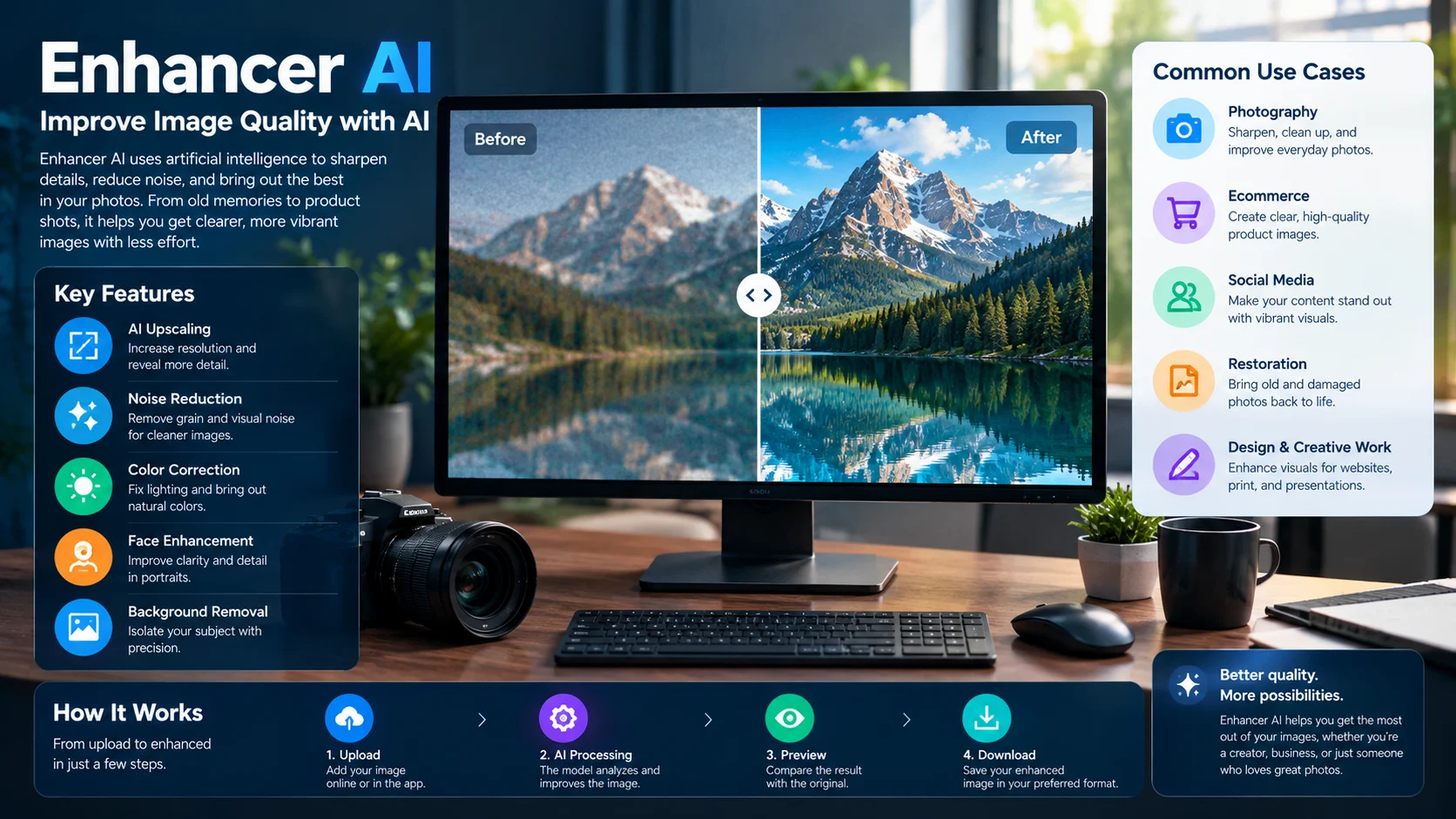
Enhancer AI refers to tools that improve image quality by sharpening details, reducing noise, increasing resolution, and correcting imperfections. Features, pricing, and limitations vary by product, so verify the provider before uploading images or purchasing a plan.
AI photo enhancement has become a practical way to improve images without manually editing every detail. These tools can help restore older photographs, prepare product images for online stores, and make visual content more suitable for websites and social media.
However, Enhancer AI is an ambiguous search term, not a universally recognized name for one specific technology. It may refer to a particular online service or to AI image enhancers more generally. This guide explains the technology, what to look for in a tool, and how to compare available options without confusing general AI capabilities with verified product features.
Enhancer AI at a Glance
- Primary purpose: Improve image quality using AI-powered enhancement and editing tools.
- Common applications: Photo restoration, image upscaling, sharpening, noise reduction, and visual content preparation.
- Who benefits: Photographers, ecommerce sellers, designers, social media creators, and casual users.
- Main advantage: AI can automate editing tasks that would otherwise require several manual adjustments.
- Main limitation: Enhancement can introduce artificial details or fail to recover information that the original image never captured.
- Important distinction: Several products have similar names. Confirm the exact website and its capabilities before paying.
What Is Enhancer AI?
Enhancer AI can describe software that uses artificial intelligence to improve the clarity, resolution, appearance, or usability of digital images. Depending on the product, it may also include background removal, color correction, portrait retouching, or generative editing.
The term covers more than one possible product. For instance, ImageEnhancerAI advertises image editing, enhancement, and conversational image tools, while Image Enhancer and AI Enhancer use similar naming for their own offerings. These services should not be treated as the same company or platform.
What Does an AI Image Enhancer Actually Do?
Traditional image editing changes existing pixels through operations such as sharpening, contrast adjustment, and color correction. AI enhancement uses models trained on image data to estimate how an image could look clearer or more detailed.
Depending on the system, it may:
- Increase image resolution.
- Reduce visible grain and compression artifacts.
- Improve perceived sharpness.
- Correct exposure and color balance.
- Restore some facial details.
- Remove or replace backgrounds.
- Reconstruct plausible visual details in low-resolution images.
Not every tool supports all these functions. Some specialize in upscaling, while others combine enhancement with a broader image-editing workflow.
Is Enhancer AI the Same as an AI Image Generator?
No. The two technologies have different primary purposes.
An image enhancer generally starts with an existing image and attempts to improve it. An AI image generator creates a new image from a text prompt, reference image, or other input.
Some platforms combine both capabilities. However, adding generative details can change the original image rather than simply improve its quality.
This distinction matters when editing product photographs, historical pictures, professional portraits, or any image where fidelity is more important than appearance.
How Does Enhancer AI Work?
AI image enhancement commonly involves machine learning models trained to recognize patterns in images. The exact architecture varies by product and task.
1. Image Analysis
The system receives an image and processes its visual information. Depending on the model, it may identify noise, soft edges, low resolution, poor exposure, or other quality issues.
Some applications let users select a mode, such as portrait enhancement or image upscaling. Others apply automatic adjustments.
2. Noise Reduction and Sharpening
Noise reduction attempts to suppress unwanted visual variation, especially in photographs taken in low light. Sharpening increases the apparent definition of edges and textures.
These operations require balance. Excessive noise reduction can erase skin texture, while aggressive sharpening can create bright outlines around objects.
3. Resolution Enhancement
AI upscaling increases the number of pixels while estimating additional visual information.
For example, a low-resolution image might contain too few pixels to show a clear eye or a small product label. An AI model may reconstruct a plausible version of those details, but it cannot guarantee that the reconstructed information is historically or factually correct.
4. Color and Lighting Correction
Some tools adjust brightness, contrast, saturation, and color balance. These changes can make an image easier to view, particularly when the original photograph is dark or has an unwanted color cast.
However, automatic correction can also alter colors that need to remain accurate. Product listings, artwork reproduction, and scientific images require careful review.
5. Final Processing and Export
After processing, users generally review the output and save it in a supported format. Depending on the platform, available formats, maximum resolution, download quality, and export restrictions may vary.
Always compare the enhanced result with the original before publishing or printing it.
Key Features to Evaluate
Before choosing an enhancer, examine the tools it provides and how much control it gives you over the final image.
| Feature | Best use | What to watch for |
|---|---|---|
| AI upscaling | Enlarging small images | Artificial textures and invented detail |
| Deblurring | Improving slightly soft photographs | Severe motion blur may remain |
| Noise reduction | Cleaning up low-light images | Excessive smoothing |
| Face enhancement | Portraits and profile pictures | Altered facial identity |
| Photo restoration | Faded or damaged photographs | Incorrect reconstruction of missing details |
| Color correction | Improving dull or poorly exposed images | Inaccurate colors |
| Background removal | Product photography and design | Rough edges around hair or transparent objects |
| Batch processing | Handling large image collections | Credit limits and processing restrictions |
A useful feature is not necessarily one that produces the most dramatic transformation. For many applications, preserving the original subject matters more than making the output look artificially perfect.
How to Use Enhancer AI
The exact workflow depends on the website, but most online photo enhancers follow a similar process.
Step 1: Choose Your Image
Select a photograph that needs improvement. Check the file format and maximum upload size supported by the service.
Keep an untouched copy of the original so you can compare the results.
Step 2: Select the Enhancement Type
Choose the operation that matches the problem. For example, use upscaling for a small image, denoising for a grainy photograph, or restoration for a faded family picture.
Avoid applying every available enhancement automatically. Multiple aggressive adjustments can reduce image quality.
Step 3: Adjust the Settings
If the tool provides quality levels or customization options, start with moderate settings. Stronger processing may improve some images but damage others.
For portraits, pay particular attention to eyes, skin texture, hair, and facial proportions. For product images, inspect edges, logos, and printed text.
Step 4: Compare Before and After
Inspect the result at both normal viewing size and high magnification. Look for halos, unnatural textures, color changes, and invented details.
A larger file is not necessarily a more accurate image.
Step 5: Download and Verify
Save the output in a format appropriate for its intended use. JPEG works well for many photographs, while PNG can be useful for graphics that require lossless storage or transparency.
Finally, verify the dimensions, file size, and visual quality before using the image in a commercial project.
Enhancer AI Pricing: Free Access and Paid Plans
Pricing depends on the exact product. Some services offer a limited number of free enhancements, while others use subscriptions or credits.
For example, the official website of Image-Enhancer.ai advertises three free image enhancements for new users and a premium plan listed at $18.99 per month. Its pricing section did not load the full plan details during this review, so the current billing terms and included allowances should be confirmed directly before purchase.
Other products use different pricing models. Canva provides an online image enhancer with additional editing options, while specialist software such as Topaz Photo offers more detailed controls for image upscaling. Their costs and included features depend on the applicable product and plan.
Hidden Costs Worth Checking
The advertised monthly price does not always reveal the total cost of regular use.
- Credit allowances: Find out how many enhancements your plan includes.
- Resolution restrictions: Check whether the maximum output size depends on the subscription tier.
- Batch processing: Confirm whether multiple images can be processed together.
- Export restrictions: Look for watermarks, file-format limitations, or download restrictions.
- Renewal terms: Check automatic billing, cancellation rules, and refund conditions.
- Commercial use: Verify whether the plan permits your intended business use.
For occasional photo repairs, free access may be sufficient. Businesses processing hundreds of images should calculate the cost per usable output, including failed attempts and manual corrections.
Best Enhancer AI Alternatives
If the specific tool you found does not meet your needs, several established alternatives offer image enhancement capabilities. Each serves a somewhat different workflow.
| Platform | Target user | Key strength | Pricing transparency | Main limitation |
|---|---|---|---|---|
| Canva | Social media creators and general users | Online enhancement combined with design tools | Free entry point; some features depend on the plan | Less specialized than dedicated restoration software |
| Topaz Photo | Photographers and image editors | Detailed upscaling and image-quality controls | Check current licensing and plan terms | Requires more evaluation and editing time |
| Upscale.media | Casual users and online sellers | Browser-based image upscaling | Check current free limits and paid options | Focuses more on enhancement than complete image editing |
| Adobe Express | Marketers and content creators | Enhancement within a broader creative editor | Free access is available; some AI features require credits | Feature access can vary by plan |
| Image-Enhancer.ai | Users seeking automated photo improvements | Advertised upscaling, restoration, colorization, and background removal | Three free enhancements advertised; premium listed at $18.99/month during review | Full pricing details require confirmation |
Official product documentation supports the broad feature distinctions in this table. It does not establish that one service consistently produces better results than the others.
Which Alternative Should You Choose?
For social media graphics: Canva may be convenient because you can enhance a photograph and incorporate it into a design.
For detailed photographic restoration: Consider Topaz Photo if you need more control over upscaling and image processing.
For quick online upscaling: Upscale.media is worth testing if you want a browser-based workflow without installing dedicated desktop software.
For combined enhancement and editing: Image-Enhancer.ai advertises several enhancement operations in one interface. Test the results and confirm its current terms before relying on it for regular work.
The best comparison uses the same original image across multiple tools. This reveals differences in detail, color, facial accuracy, and processing artifacts more reliably than promotional examples alone.
Privacy and Security: What Happens to Uploaded Images?
Uploading a photograph to an online AI enhancer means transferring it to a service for processing. The provider’s policies determine how that image is handled afterward.
This matters particularly when images contain faces, private documents, customer information, unpublished commercial work, or personal photographs.
Before uploading sensitive material, investigate the following:
- Retention policy: How long does the service keep original and enhanced images?
- Deletion controls: Can you delete individual uploads and associated files?
- Model training: Does the provider use submitted images to train or improve its models?
- Third-party processing: Are external services involved in processing or storing images?
- Account requirements: Can you test the tool without creating an account?
- Commercial terms: Are uploaded images and generated outputs covered by clear usage terms?
Some services make specific privacy claims on their websites. Those statements should be treated as provider claims unless independently verified.
For example, Image-Enhancer.ai states that uploaded files are automatically deleted after processing. Before relying on that statement for sensitive or business-critical material, review its current privacy policy and deletion terms.
Do not assume that an online tool offers Zero Data Retention simply because it uses encryption or advertises secure processing. Those are different questions.
Common Problems and How to Fix Them
AI enhancement can improve many images, but the original photograph and the chosen settings affect the outcome.
The Image Looks Artificial
Excessive sharpening or detail reconstruction can create plastic-looking skin, strange textures, and unnatural edges.
Solution: Reduce the enhancement strength and compare the result against the original at full size.
Faces Look Different
Face-enhancement models may reconstruct missing details rather than accurately recover the original features.
Solution: Use a less aggressive setting, particularly for identity-sensitive portraits or historical photographs.
Text and Logos Become Distorted
AI models can struggle with small lettering, fine logos, and intricate graphic elements.
Solution: Preserve the original logo or text as a separate layer when possible. Do not rely on reconstructed lettering for product labels or official documents.
The File Is Larger but Not Better
Upscaling increases pixel dimensions, but it does not guarantee greater accuracy or useful detail.
Solution: Evaluate edge clarity, texture, and the intended display or print size rather than judging quality by resolution alone.
The Tool Cannot Fix Severe Blur
When a photograph contains very little usable information, enhancement may produce a plausible reconstruction rather than a faithful recovery.
Solution: Try a different source image if available. No enhancement tool can guarantee recovery of details that were never captured.
Frequently Asked Questions
1. What is Enhancer AI used for?
Enhancer AI improves image quality by sharpening details, increasing resolution, reducing noise, and enhancing colors. Some tools also support photo restoration and background removal.
2. Is Enhancer AI free to use?
Some tools offer free processing or starter credits, while others require payment for premium features. Check the specific product’s pricing.
3. Can Enhancer AI make a blurry photo clear?
Yes, it can improve some blurry photos, but severely blurred images may not recover their original details accurately.
4. Is Enhancer AI safe for private photographs?
Safety depends on the provider’s privacy practices. Review its image storage, deletion policies, and data usage before uploading personal photos.
5. Does AI image enhancement change the original photograph?
Yes. Some tools reconstruct details using AI, potentially introducing changes. Keep the original image and compare both versions.
Conclusion
Enhancer AI tools improve image sharpness, resolution, colors, and overall quality. However, results vary depending on the software and the original image. Before choosing a tool, compare its features, pricing, privacy policies, and output quality to find the best fit for your needs