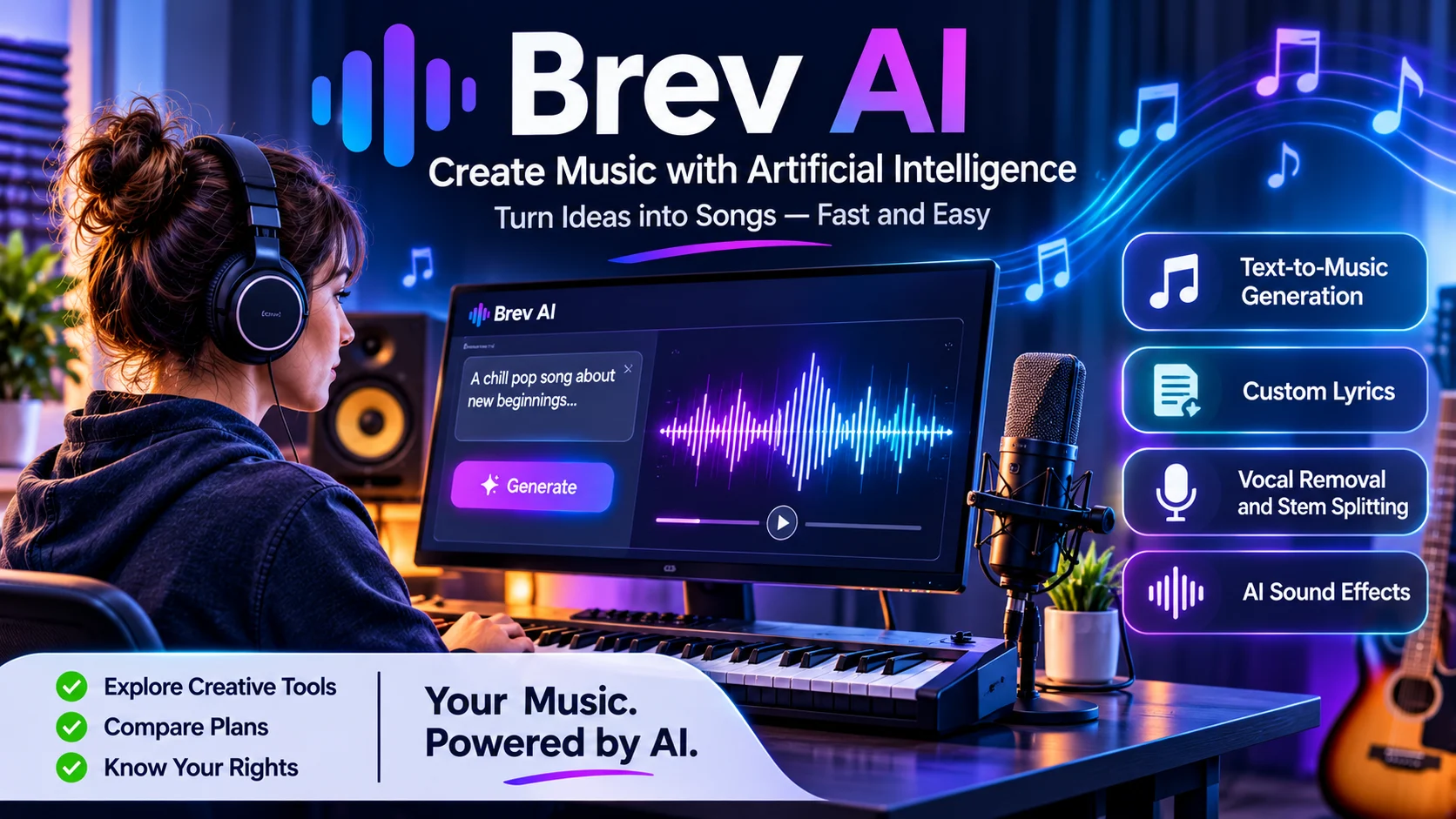
Quick Answer: Brev AI is an online AI music generator that turns text descriptions and custom lyrics into songs. It also offers tools for instrumental music, vocal removal, stem separation, lyrics, sound effects, and music extensions.
Brev AI is a browserbased platform for generating music with artificial intelligence. It allows users to create songs by describing an idea, selecting a musical direction, or providing their own lyrics.
Traditional music production often requires instruments, recording equipment, and audio editing software. Brev AI simplifies the initial creation process by letting users describe what they want.
For example, you could enter a prompt for a romantic acoustic song about missing someone. You might request gentle guitar, emotional lyrics, a slow tempo, and female vocals.
The platform then generates musical versions based on your instructions. You can listen to the results, adjust your description, and try again.
Brev AI is designed for people who want to experiment with music without mastering professional production software. Its audience may include beginners, songwriters, content creators, independent musicians, and video producers.
The platform also includes supporting audio tools. These make it possible to handle several basic creative tasks without switching between multiple websites. brev.ai+1
How does Brev AI work?
Brev AI uses generative AI to turn written instructions into audio. Users provide a description or lyrics, choose the available settings, and generate a track.
Its Help Center explains two main creation modes.
1. Simple Mode
Simple Mode is intended for quick music generation.
You enter a description of the song you want. Brev AI uses that description to generate lyrics and select a musical direction.
For example:
Create a peaceful acoustic song about childhood memories, old friends, and returning home. Use gentle guitar, emotional lyrics, and a warm atmosphere.
You can also select the instrumental option when you want music without singing.
This mode is suitable for beginners who have an idea but do not want to write lyrics or configure every musical detail. Guides & FAQ
2. Custom Mode
Custom Mode gives users more control over the creative process.
You can enter your own lyrics, describe the musical style, and provide a title. The style description can include details such as genre, mood, instruments, tempo, and vocal type.
For example:
| Setting | Example |
|---|---|
| Genre | Soulful jazz |
| Mood | Romantic and reflective |
| Instruments | Piano and warm trumpet |
| Tempo | Slow |
| Vocals | Female singer |
Brev AI also supports lyric section labels such as [Verse], [Chorus], and [Bridge]. These help communicate the structure you want.
The platform recommends using clear instructions rather than adding too many unrelated tags. Guides & FAQ+1
3. Generate and review your song
After entering your instructions, select the Create option. Brev AI says it generates two versions for users to compare.
Listen to both before choosing a result. Pay attention to the melody, vocal delivery, lyrics, and overall musical style.
If neither version matches your expectations, revise the prompt and generate again. AI music generation involves variation, so the same idea may produce different results. Guides & FAQ
Key features of Brev AI
Brev AI offers more than basic text to music generation. Its feature set covers several parts of a simple music creation workflow.
Text to music generation
Text to music is the platform’s central feature.
Users describe a musical idea in ordinary language. Brev AI turns that description into an audio track.
You can specify:
- Music genre
- Emotional atmosphere
- Song theme
- Instruments
- Tempo
- Vocal preferences
This feature is useful for exploring song concepts and producing early musical drafts.
However, the result may not match every detail of the prompt. You may need several attempts to achieve the desired sound.
Custom lyrics and AI songwriting
Brev AI supports both generated lyrics and user written lyrics.
Its lyrics generator can help users develop a song around a theme. Custom Mode lets writers provide their own words and guide how the song should sound.
This combination is useful for people who write poetry, create lyrics, or want to experiment with different musical arrangements.
Still, generated lyrics may contain awkward phrasing or predictable expressions. Review and edit the words before treating them as finished songwriting.
Instrumental music generation
Brev AI can generate instrumental tracks without vocals.
This option may help creators develop background music for videos, presentations, podcasts, and other projects.
It is also useful when spoken content needs to remain clear. A vocal free track can provide atmosphere without competing with narration.
AI vocal remover and stem splitter
The vocal remover separates singing from an audio file. Users may use it to create karaoke style tracks or isolate vocals for further editing.
Brev AI also lists stem splitting functionality. Stem separation attempts to divide a mixed recording into individual audio components.
These tools can support basic editing and remixing. However, automated separation is not always perfect. Overlapping instruments, complex arrangements, and poor quality recordings can affect the results. brev.ai
AI lyrics generator
The lyrics generator helps users develop words for a song.
You can start with a theme, emotion, or story and use the generated text as a first draft. You can then refine the lyrics before entering them into Custom Mode.
This is particularly useful when you have a musical idea but are struggling to develop verses or a chorus.
Music extension
Brev AI includes a feature for extending an existing song or audio clip.
According to its Help Center, Pro and Ultra subscribers can add a new clip of up to one minute. Users can continue from the end of a track or select a specific starting point.
The extension can use instrumental or lyric based instructions. This allows users to develop an existing idea without starting the entire song again.
AI sound effects and cover images
The sound effects generator creates short audio effects from written prompts. It may help with transitions, video scenes, and simple creative projects.
Brev AI also lists an AI cover image generator. This can help users create artwork to accompany a generated track.
These features add convenience, although they do not replace dedicated professional audio or graphic design software. brev.ai
AI lyric videos
Brev AI lists lyric video creation among its available tools.
A lyric video combines song audio with on screen lyrics. It can provide a simple visual format for sharing music on video platforms and social media.
Check the plan details before relying on this feature, as the pricing page’s credit guide identifies lyric video access as included with Pro and Ultra.
How to create a song with Brev AI
You do not need professional music production experience to start using the platform. The basic process involves a few steps.
- Visit the official website: Open Brev AI and navigate to its music generator.
- Choose a creation mode: Select Simple Mode for a quick song or Custom Mode for your own lyrics.
- Enter your idea: Describe the song’s theme, mood, and musical direction.
- Add musical details: Include genre, instruments, tempo, and vocal preferences where relevant.
- Generate the track: Select Create and wait for the available versions.
- Compare the results: Listen to both versions and identify which one matches your idea.
- Refine your prompt: Change unclear instructions or adjust the musical style.
- Download your result: Check the available file formats and storage limits for your plan.
A good prompt should communicate one clear musical direction. Avoid combining too many unrelated styles, moods, and instructions.
Brev AI pricing and plans
Brev AI offers a free plan and two paid subscriptions:
Pro and Ultra.
Its pricing page currently displays the following annual billing prices as monthly equivalents.
| Plan | Displayed price | Credits |
|---|---|---|
| Free | $0 | 25 per day |
| Pro | $7.99/month | 1,500 per month |
| Ultra | $23.99/month | 10,000 per month |
The Pro price corresponds to $95.88 billed annually. Ultra corresponds to $287.88 billed annually. Confirm the billing option and final amount at checkout because the page also offers monthly subscriptions. brev.ai
Free plan
The free plan provides 25 daily credits. Brev AI estimates this is enough for approximately five song generations.
Free users can access the V6 mini model. The pricing page also lists several supporting tools, including the lyrics generator, sound effects, and vocal removal.
However, free accounts have a seven day storage period. The pricing page also says free songs are public, while paid plans provide private generations. brev.ai
Pro plan
Pro provides 1,500 credits per month and access to the V6 and V6 Wild models, according to the current feature listings.
The plan includes private generations, up to four concurrent jobs, and additional audio tools. Its annual billing display is $7.99 per month, billed as $95.88 for the year.
Ultra plan
Ultra provides 10,000 credits per month and access to V6 and V6 Wild.
The pricing page lists up to ten concurrent jobs, private generations, and unlimited storage. It is intended for users who generate music more frequently or need a larger monthly credit allowance. brev.ai
Understand the credit system
Brev AI uses credits for song generation and some supporting tools.
Its current pricing page lists these costs:
| Feature | Credit cost |
|---|---|
| Song generation | 5 credits |
| Vocal removal | 5 credits |
| Sound effects | 1 credit |
| AI cover image | 2 credits |
| Music extension | 3 credits |
| Lyrics generator | Free |
| Lyrics video | Free on Pro and Ultra |
Unused credits reset at the beginning of the next billing cycle. They do not roll over. Annual subscribers receive a new monthly allowance during each billing month.
One detail deserves attention: the pricing page’s estimated song counts assume that credits are used for song generation. Using other tools will reduce the number of songs you can create.
Can you use Brev AI music commercially?
Commercial rights are one of the most important things to check before publishing or monetizing AI generated music.
Brev AI’s public pages contain conflicting information about which plans include commercial licenses.
Its current pricing page lists a commercial license feature under the Free plan. However, the same page’s FAQ says free accounts and monthly subscriptions do not receive commercial rights. The Help Center gives the same restriction and identifies annual Pro and Ultra subscriptions as eligible for commercial use.
The commercial license agreement also describes a perpetual, worldwide, non exclusive license for annual subscribers. It says eligible subscribers can continue using qualifying generated content after their subscription expires. brev.ai
What should users do?
- Do not assume free plan music is commercially licensed.
- Do not assume a monthly subscription includes commercial rights.
- Confirm that the specific track was created during an eligible annual subscription.
- Download and retain the license certificate where available.
- Save the applicable agreement and payment records.
There is also an important distinction between a platform license and copyright protection under the law. A commercial use permission does not automatically guarantee that every AI generated track qualifies for copyright protection in every country.
For client work, advertising, streaming releases, and monetized videos, obtain clear confirmation of the applicable license before publishing.
Privacy and security considerations
Users should review Brev AI’s privacy documents before uploading original recordings, unreleased songs, or confidential lyrics.
The current app privacy policy identifies Cuilu Business Services Co., Ltd. as the operator. It says the app collects email addresses and may share them with service providers or disclose them when legally required. It also describes security measures such as encryption and access controls. brev.ai
The app’s Terms of Use state that submitted content is subject to a license allowing the company to use, reproduce, modify, adapt, publish, distribute, and display it in connection with the app. brev.ai
There is also an older website privacy policy that identifies InnoLeap AI LLC. This differs from the company named in the current app privacy policy and app terms. Users should check which policy applies to the particular service they are using. brev.ai+2
The published documents do not establish a verified Zero Data Retention policy or SOC 2 certification. Their existence should not be assumed.
For sensitive projects, read the current terms carefully. Avoid uploading material unless you have permission to share it and understand how the platform may use it.
Brev AI advantages and limitations
Brev AI offers a convenient way to experiment with AI generated music. However, its usefulness depends on your expectations and the type of project you want to complete.
| Advantages | Limitations |
|---|---|
| Generates music from written prompts | Results may require repeated generation |
| Supports custom lyrics | Generated lyrics may need editing |
| Offers instrumental creation | Limited control compared with professional production software |
| Includes vocal removal and stem tools | Separation quality can vary |
| Provides music extension | Extension is limited to eligible plans |
| Offers a free daily allowance | Credits restrict repeated use |
| Includes several creative tools | Licensing information needs careful verification |
Its strongest advantage is convenience. Users can generate music and access supporting creative tools through one platform.
Its main drawbacks are the limitations of automated music generation and the need to check licensing, privacy, and subscription details.
Brev AI alternatives | Which tools should you compare?
Brev AI is not the only platform that generates music from text. Two relevant alternatives are Suno and Stable Audio.
They serve overlapping but different creative needs.
| Platform | Main purpose | Pricing transparency | Main consideration |
|---|---|---|---|
| Brev AI | Songs, lyrics, instrumental music, and audio tools | Free and paid credit plans published | Check licensing and plan details carefully |
| Suno | AI songs, vocals, editing, and music production | Free, Pro, and Premier plans published | Commercial rights are included with paid plans |
| Stable Audio | Instrumental music and sound effects | Subscription and licensing information published | Useful for audio assets beyond complete songs |
Brev AI vs. Suno
Suno is a direct alternative for users interested in complete songs with vocals.
Its current plans include free access and paid subscriptions. The paid plans list commercial use rights, downloads, stem separation, and additional editing capabilities. Pricing
Suno may suit creators who want a broader music editing environment. Brev AI may appeal to users who prefer its combination of song generation and supporting audio utilities.
Brev AI vs. Stable Audio
Stable Audio is worth considering when your main requirement is instrumental music or sound effects.
Stability AI’s licensing documentation says commercial use is permitted under its applicable terms and acceptable use policy, including for certain free plan outputs. kb.stability.ai
Stable Audio may be more relevant for background audio and sound design. Brev AI is more directly positioned around creating complete songs and lyrics.
The right choice depends on whether you need vocal songs, instrumental tracks, editing tools, or clearer commercial permissions.
Who should use Brev AI?
Brev AI may be useful for several types of creators.
- Beginners: Create songs without learning traditional production software.
- Songwriters: Test original lyrics with different musical styles.
- YouTubers: Explore background music and song ideas for videos.
- Social media creators: Develop short musical concepts and lyric videos.
- Podcasters: Experiment with intros, outros, and sound effects.
- Independent musicians: Produce early drafts before refining them with other tools.
Professional musicians may also find it useful for brainstorming. However, anyone who needs precise mixing, detailed arrangement control, or dependable commercial permissions should evaluate those requirements separately.
Tips for getting better results from Brev AI
The quality of your instructions can affect the usefulness of the generated track. These practical steps can help you get closer to your intended sound.
Start with one clear idea
Describe the main theme and musical direction first. Avoid mixing unrelated genres or contradictory moods.
For example, a slow emotional piano song has a clearer direction than a prompt requesting five different styles.
Keep lyrics organized
Use labels such as [Verse], [Chorus], and [Bridge] when entering custom lyrics.
Short, organized sections can make the intended structure easier to communicate.
Specify the vocal style
If you want a particular vocal type, include it in the prompt. Brev AI’s Help Center recommends descriptions such as male vocals, female vocals, or duet vocals.
The result may still vary, so generate another version if the voice does not match your preference. Guides & FAQ
Compare the generated versions
Listen to both versions before choosing one. Consider the melody, vocal clarity, lyrics, and musical arrangement.
Small changes to the prompt can produce noticeably different results.
Review the license before publishing
Do not treat a generated track as automatically cleared for commercial use. Confirm the plan, license, and intended use before uploading it to a monetized platform.
Frequently asked questions
1. Is Brev AI free to use?
Yes. Brev AI offers a free plan with 25 daily credits, which the pricing page estimates is enough for approximately five song generations. Some features and usage limits depend on the plan.
2. Can Brev AI generate songs with vocals?
Yes. Brev AI can generate songs with lyrics and vocals. Users can also provide their own lyrics through Custom Mode or create instrumental tracks without vocals.
3. Can I use Brev AI music commercially?
Brev AI’s public pages provide conflicting information about free plan commercial rights. Its Help Center and pricing FAQ restrict commercial use to songs created during an annual Pro or Ultra subscription. Confirm the applicable license before monetizing a track.
4. What are the best alternatives to Brev AI?
Suno and Stable Audio are two alternatives worth comparing. Suno focuses on complete songs and editing tools, while Stable Audio is useful for instrumental music and sound effects. Your choice depends on your creative needs and licensing requirements.
Conclusion
Brev AI is an accessible AI music generator that turns text descriptions and custom lyrics into songs. Its supporting tools for instrumental music, vocal removal, stem splitting, and sound effects make it useful for early stage creative projects.
However, users should look beyond its generation features. Credit limits, download options, privacy terms, and commercial licensing all matter when choosing a music platform.The free plan offers a way to experiment with music generation. For professional or monetized projects, verify the exact license and subscription restrictions before publishing.