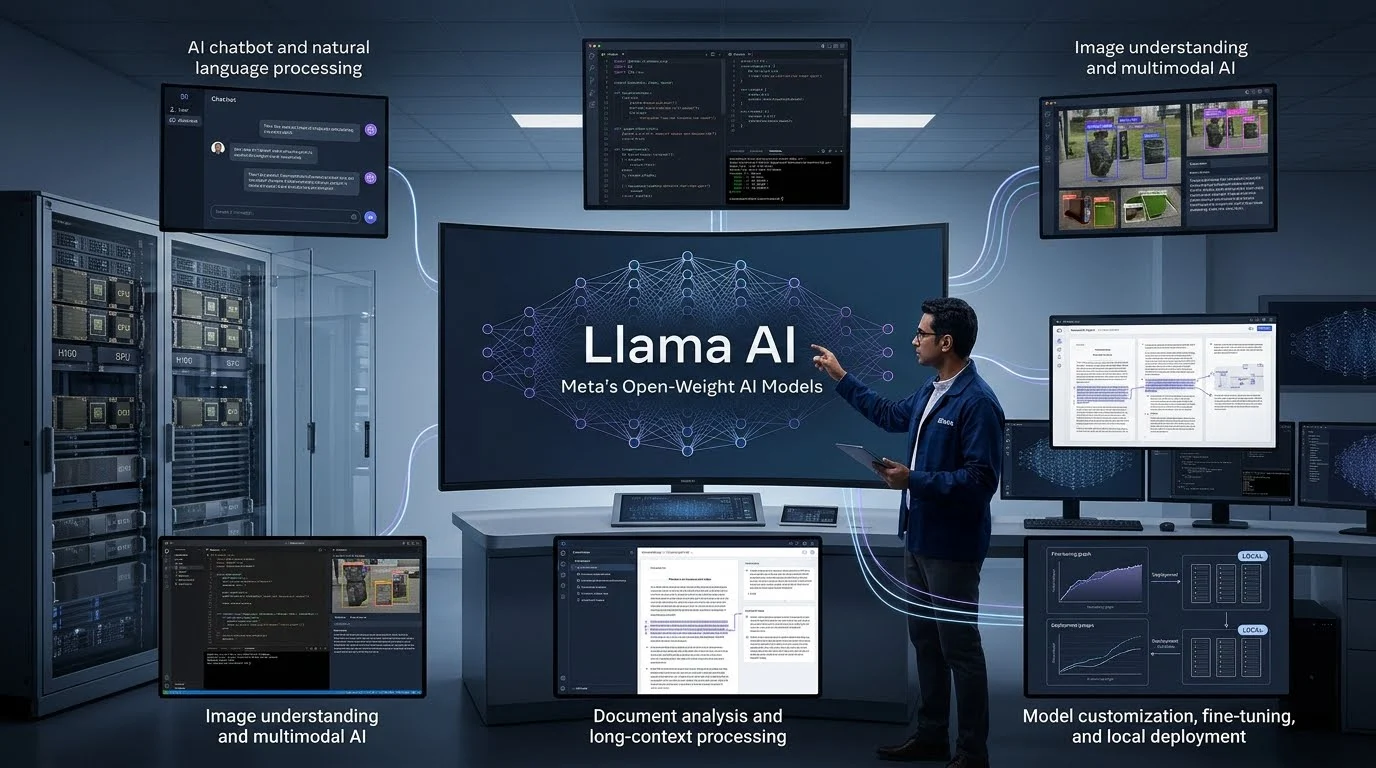
Quick Answer: Llama AI is Meta’s family of large language models that developers can download, customize, and deploy for applications such as chatbots, content generation, coding, and image understanding. Its open-weight approach offers more deployment flexibility than many closed AI services, but users must consider hardware requirements, licensing conditions, and model limitations.
Llama AI refers to Meta’s collection of large language models. The name stands for Large Language Model Meta AI.
These models use machine learning to understand prompts and generate responses. They can support tasks such as answering questions, summarizing documents, writing code, translating text, and analyzing information.Unlike a conventional AI chatbot, Llama is primarily a model family. Developers can use its underlying model weights to build their own AI applications.
For example, a software company could use a Llama model to create a customer-support assistant. A researcher could adapt a model to analyze specialized documents. A developer could also integrate it into an existing application.Meta provides model documentation, downloads, deployment guidance, and integration resources through its official developer platform.
Is Llama AI the same as ChatGPT?
No. Llama and ChatGPT are different AI products and technologies.
ChatGPT is an AI assistant developed by OpenAI. Llama is a family of models developed by Meta that developers can integrate into their own applications.
| Comparison | Llama AI | ChatGPT |
|---|---|---|
| Developer | Meta | OpenAI |
| Main offering | Model family | AI assistant and platform |
| Model access | Open-weight models are available | Primarily hosted models |
| Self-hosting | Supported for downloadable models | Not available for standard ChatGPT models |
| Customization | Fine-tuning and deployment options depend on the model | Customization depends on available OpenAI products and APIs |
| Typical users | Developers, researchers, businesses | General users, professionals, and developers |
The important difference is control. Llama gives developers more control over model deployment, while ChatGPT provides a ready-to-use assistant experience.
How Does Llama AI Work?
Llama models use neural networks trained on large collections of data. They learn statistical patterns in language and other supported information.
When someone submits a prompt, the model processes the input and predicts an appropriate sequence of output tokens.
A token can represent a complete word, part of a word, or another text unit. The model uses these tokens to construct its response.
The process generally follows five steps:
- Input: A user submits a question, instruction, image, or other supported information.
- Tokenization: The system converts the input into tokens.
- Processing: The model processes the tokens through its neural network.
- Generation: The model predicts the next tokens based on the input and its learned patterns.
- Output: The application displays the generated response.
The surrounding application can add other capabilities. For example, developers can connect Llama to external databases, search tools, or business software.
What is an LLM?
A large language model is an AI system trained to understand and generate language.
Llama belongs to this category. Its capabilities depend on the specific model version, size, training, and configuration.
A smaller model may work well for simple classification or short conversations. A larger model may be more suitable for complex reasoning or demanding language tasks.
What is fine-tuning?
Fine-tuning means adapting an existing model using additional training data.
For example, a company could fine-tune a Llama model on approved customer-support examples. This may help the model follow the company’s preferred terminology and response patterns.
Fine-tuning does not automatically make a model accurate. The quality of the training data and evaluation process still matters.
What is RAG?
Retrieval-Augmented Generation, or RAG, connects an AI model to an external information source.
Instead of relying only on information learned during training, the application retrieves relevant documents and provides them to the model.
A business could use RAG to build an assistant that answers questions using its product manuals, internal policies, or knowledge base.
This approach can improve access to current or company-specific information. However, it does not eliminate incorrect answers. Retrieval quality and source accuracy remain important.
Main Llama AI Models and Their Features
Meta has released several generations of Llama models. Different generations and sizes target different deployment requirements.
The official Llama developer resources currently list Llama 4, Llama 3, and Llama 2. Meta+1
1. Llama 4 Scout
Long-context model
Llama 4 Scout is a natively multimodal model designed to process text and visual information.
Meta advertises a context window of up to 10 million tokens. A context window represents the amount of information a model can process within a given interaction.
This makes Scout relevant to applications involving large document collections and extensive visual or textual inputs.
However, a large advertised context window does not guarantee perfect recall. Developers should test retrieval accuracy, response quality, and performance with their actual workloads.
Meta lists Scout as a model designed for efficient deployment, including single-H100-GPU operation.
2. Llama 4 Maverick
Llama 4 Maverick is another natively multimodal model. Meta positions it for advanced text and image understanding.
It uses a mixture-of-experts architecture. This design activates selected groups of model parameters rather than using every parameter for every token.
The model has 400 billion total parameters, with 17 billion active parameters per token, according to Meta’s published model information.
Maverick may suit developers building applications that need more advanced image understanding and general-purpose AI capabilities. Its infrastructure requirements should still be evaluated before deployment.
3. Llama 3 and Llama 3.3
Llama 3 introduced a range of models for language-based applications.
The Llama 3.1 generation included 8B, 70B, and 405B parameter versions. Llama 3.2 expanded the family with smaller models and vision-enabled variants.
Llama 3.3 includes a 70B instruction-tuned model designed for text-based applications.
These models remain relevant for developers who need a particular model size, established deployment support, or compatibility with existing systems.
Llama model comparison
| Model | Main capability | Potential use |
|---|---|---|
| Llama 4 Scout | Multimodal understanding and long context | Large-document and image-based applications |
| Llama 4 Maverick | Advanced text and image understanding | General-purpose AI applications |
| Llama 3.3 70B | Instruction-following text generation | Chatbots and content workflows |
| Llama 3.2 1B/3B | Lightweight text models | Edge and resource-conscious applications |
| Llama 3.2 11B/90B | Vision-enabled processing | Image and text applications |
| Llama 3.1 8B/70B/405B | Text generation | Different performance and infrastructure needs |
Model availability and specifications can change. Check the individual model card before selecting a version.
What Can You Use Llama AI For?
Llama models can support a wide range of applications. Their usefulness depends on the selected model, application design, and quality of the data.
1. AI Chatbots and Virtual Assistants
Developers can use Llama to build conversational assistants for websites, mobile applications, and internal business systems.
Common tasks include:
- Answering customer questions.
- Explaining product information.
- Handling basic support requests.
- Summarizing conversations.
- Guiding users through common processes.
Businesses should add appropriate safeguards and human escalation for sensitive or high-impact requests.
2. Content Writing and Summarization
Llama can generate and transform written content.
For example, content teams can use it to create initial drafts, summarize reports, rewrite paragraphs, and organize research notes.
The output still requires editorial review. AI-generated content can contain inaccurate claims, repetitive wording, or unsuitable information.
3. Software Development and Coding
Developers can use compatible Llama models for programming assistance.
Potential tasks include:
- Explaining code.
- Generating code snippets.
- Identifying possible errors.
- Writing documentation.
- Suggesting improvements.
- Supporting development workflows.
The model’s coding ability varies by version and task. Developers should test generated code rather than assuming it is correct or secure.
4. Image Understanding
Llama 4 supports native multimodal processing, including image and text understanding.
A developer could build an application that accepts an image and asks the model to describe its contents.
Possible applications include document analysis, visual question answering, and image-based support workflows.
This does not mean every Llama model can generate images. Image understanding and image generation are different capabilities.
5. Research and Document Analysis
Llama can help process large amounts of text and organize information.
Researchers may use it to summarize papers, compare documents, extract key points, and build question-answering systems.
For reliable research workflows, connect the model to trusted sources and require references where appropriate.
6. Business Automation
Llama can serve as one component in an AI-powered business workflow.
For example, an application could receive a customer request, classify its subject, retrieve relevant information, and prepare a response for an employee.
The model does not automatically perform these actions. Developers must connect it to tools, databases, permissions, and workflow logic.
How to Access and Use Llama AI
There are several ways to work with Llama. The right approach depends on whether you want to experiment with AI or build a production application.
Option 1: Use a hosted Llama service
Some third-party AI platforms provide hosted access to Llama models.
This approach avoids managing GPUs and model infrastructure yourself. However, the provider controls important details such as pricing, availability, rate limits, and data handling.
Check which exact model the service offers. A platform may provide an older Llama version rather than the latest model.
Option 2: Download a model
Meta provides official Llama model downloads and documentation.
Developers can review the available model versions and obtain the relevant files through Meta’s access process. Models are also distributed through developer platforms such as Hugging Face.
After downloading a model, you need compatible software and hardware to run it.
Option 3: Run Llama locally
Local deployment allows developers to run supported models on their own computers or servers.
Tools such as llama.cpp and other inference frameworks can help manage model execution. Hardware requirements depend on the model’s size, quantization, context length, and expected workload.
A smaller quantized model may run on consumer hardware. Larger models can require substantial GPU memory or multiple accelerators.
Option 4: Build an application using an API
Some hosting providers expose Llama through an API. This allows developers to send prompts and receive model responses without managing the underlying hardware.
One important distinction: Meta’s Model API is a separate hosted service and does not run downloadable Llama models for you. Meta’s documentation explains that Llama models are downloaded and hosted separately, while its Model API provides access to other Meta models.
Before choosing an API provider, review its supported models, pricing, rate limits, data retention, and service availability.
Is Llama AI Free?
Llama model weights are available for download under their respective licenses. However, that does not mean every way of using Llama is completely free.
The total cost depends on how you access and operate the model.
| Cost area | What to consider |
|---|---|
| Model access | Review the specific model’s license and access requirements. |
| Local hardware | A suitable computer or GPU may require an upfront investment. |
| Cloud hosting | Cloud providers may charge for GPU time, storage, and networking. |
| API access | Third-party providers may charge based on tokens or usage. |
| Development | Integration, testing, monitoring, and maintenance require resources. |
| Fine-tuning | Training data, compute, and engineering work can add costs. |
Meta’s Llama 4 page also publishes estimated inference costs for Maverick. These are Meta’s estimates for particular deployment assumptions, not a universal retail API price or a guarantee of actual operating costs.
Hidden costs developers should consider
The model’s download price is only one part of the total cost.
A production deployment may also require:
- GPU memory and compute capacity.
- Storage for model files and application data.
- Load balancing and autoscaling.
- Monitoring and security controls.
- Fine-tuning and evaluation.
- Technical support and maintenance.
For this reason, compare the total cost of running a model rather than focusing only on whether its weights are free.
Is Llama AI Open Source?
Llama is commonly described as open source by Meta. However, developers should understand the distinction between open-source software and open-weight AI models.
Open-weight models provide access to trained model parameters. This lets developers download, run, and sometimes modify the models.
But access to weights does not automatically mean unrestricted use. Model licenses can include additional requirements.
For example, the Llama 4 Community License contains conditions for redistribution and use. It requires certain attribution, including displaying “Built with Llama” when distributing covered materials or products. It also contains an additional licensing requirement for licensees whose products or services exceeded 700 million monthly active users at the specified release-date measurement. dev.meta.ai
Before commercial deployment, check the license for the exact model version. Do not assume that Llama 2, Llama 3, and Llama 4 have identical terms.
Benefits of Llama AI
Llama offers several practical advantages for AI developers and organizations.
Greater deployment flexibility
Developers can download supported models and deploy them on their own infrastructure.
This can provide more control over hosting, application architecture, and model configuration.
Customization options
Teams can adapt supported models through fine-tuning, prompting, and other techniques.
This can help align model behavior with specialized tasks and business requirements.
Multiple model sizes
The Llama family includes different model generations and sizes.
This gives developers options when balancing performance, hardware requirements, and operating costs.
Developer ecosystem
Meta provides documentation, model resources, and integration guidance. Llama models are also available through established developer communities and tooling platforms. Meta+1
Self-hosting possibilities
Organizations can run models on infrastructure they control.
This may support specific data governance or deployment requirements. However, self-hosting does not automatically make an application secure or compliant.
Limitations and Risks of Llama AI
Llama is useful, but it is not a perfect solution for every AI project.
1. Hardware requirements
Larger models require more memory and computing resources.
A company planning to self-host Llama should estimate GPU requirements, expected traffic, and response-time targets before deployment.
2. Incorrect AI responses
Llama can generate incorrect or misleading information.
This is a common limitation of generative AI systems. Applications that handle financial, legal, medical, or other high-impact information need appropriate testing and human oversight.
3. Licensing restrictions
The Llama license is not identical to a conventional unrestricted open-source license.
Businesses must review the terms for the exact model they intend to use. Redistribution, attribution, and commercial conditions may affect their deployment plans.
4. Infrastructure and maintenance
Self-hosting transfers more responsibility to the organization.
Teams may need to manage updates, model versions, security, monitoring, scaling, and performance optimization.
5. Privacy is not automatic
Running a model locally can reduce the need to send prompts to an external model provider. However, the surrounding application may still collect or transmit user data.
Organizations should review logs, backups, access controls, analytics, and data retention. They should not assume that using Llama provides Zero Data Retention or any particular security certification.
Llama AI Alternatives: Which Models Should You Compare?
Llama is part of a competitive open-weight AI ecosystem. Several other model families offer different licensing arrangements, capabilities, and deployment options.
| Platform or model | Target user | Key strength | Pricing transparency | Core limitation |
|---|---|---|---|---|
| Meta Llama | Developers and businesses | Flexible model deployment and customization | Model access and infrastructure costs are separate considerations | License conditions and hosting requirements |
| Google Gemma 4 | Developers and edge AI teams | Multiple model sizes and multimodal capabilities | Weights available under Apache 2.0; hosting costs vary | Hardware and task-specific performance still require testing |
| Qwen | Developers and AI researchers | Broad model range and active development | Depends on model license and hosting provider | Terms differ across releases |
| DeepSeek | Developers and reasoning-focused applications | Open-weight model options and hosted services | Depends on API or self-hosted deployment | Infrastructure and model-specific requirements |
Google documents Gemma 4 under the Apache 2.0 license, with multiple model sizes and support for text and image input. Some variants also support audio input.
Alibaba’s Qwen team publishes model weights and release information through its official repositories. Its licensing should be checked against the specific model being downloaded.
DeepSeek’s V4 documentation identifies the MIT license for assets distributed through its open-source repositories. Its hosted API is a separate deployment option.
Llama vs. Gemma
Llama and Gemma both offer downloadable model weights, but their licensing approaches differ.
Gemma 4 uses Apache 2.0, while Llama 4 uses Meta’s Community License. Developers who prioritize license simplicity may find this distinction important.
The better model depends on the task, hardware, language requirements, and measured performance.
Llama vs. Qwen
Qwen offers a broad range of models for coding, research, and general-purpose applications.
Llama may be attractive when a team already uses Meta’s ecosystem or has deployment workflows built around its models.
Compare exact model versions rather than judging entire families by brand names.
Llama vs. DeepSeek
DeepSeek offers models designed for demanding reasoning and coding tasks.
Llama also supports a broad range of applications, including multimodal use cases through Llama 4.
Run both models against the same test prompts and datasets before selecting one for production.
Who Should Use Llama AI?
Llama can be a suitable option for people and organizations that need more control over AI model deployment.
Developers can use it to build chatbots, document assistants, and AI-powered applications.
Businesses can explore self-hosted deployments and customized workflows, subject to their technical and licensing requirements.
Researchers can study model behavior, experiment with fine-tuning, and evaluate different model architectures.
Startups can use supported Llama models as a foundation for prototypes and specialized products.
However, Llama may not be the simplest choice for someone who only wants a ready-to-use chatbot. A hosted AI assistant can be easier than downloading and managing a model.
What Should You Check Before Choosing Llama?
Before adopting Llama, evaluate the model against your actual use case.
- Select the right version: Compare Scout, Maverick, and relevant earlier models.
- Check the license: Read the terms for the exact model and intended commercial use.
- Estimate infrastructure: Calculate memory, GPU, storage, and hosting requirements.
- Test performance: Use realistic prompts and representative datasets.
- Review privacy: Understand how your application stores and processes user information.
- Measure operating costs: Include infrastructure, engineering, monitoring, and maintenance.
- Plan for updates: Track model versions and test changes before deploying them.
A model that performs well in a public benchmark may behave differently in your application. Real-world testing should guide the final decision.
Frequently Asked Questions About Llama AI
1. What does Llama AI stand for?
Llama stands for Large Language Model Meta AI. It is Meta’s family of AI models designed for tasks such as text generation, coding, reasoning, and supported multimodal applications.
2. Can I use Llama AI for free?
You can download eligible Llama models under their applicable licenses. However, running them may involve hardware, cloud hosting, or third-party API costs.
3. Can Llama AI run on a personal computer?
Yes, supported Llama models can run locally on compatible computers. The required memory and processing power depend on the model size, quantization, and context length.
4. Is Llama AI better than ChatGPT?
Neither is automatically better for every task. Llama offers model customization and self-hosting options, while ChatGPT provides a ready-to-use AI assistant experience.
5. Can businesses use Llama AI commercially?
Businesses can use Llama models subject to the applicable license and use policy. They should review requirements for attribution, redistribution, and any additional commercial conditions before deployment.
Conclusion
Llama AI gives developers access to Meta’s open-weight model family for building and customizing AI applications. Its flexibility, range of model sizes, and multimodal capabilities make it relevant to developers, researchers, and businesses.
However, choosing Llama requires more than comparing model performance. Hardware costs, licensing conditions, privacy practices, and maintenance responsibilities all matter.
For teams that want deployment control, Llama is worth evaluating. For users who simply need a conversational assistant, a hosted AI service may be more convenient.