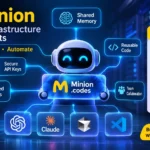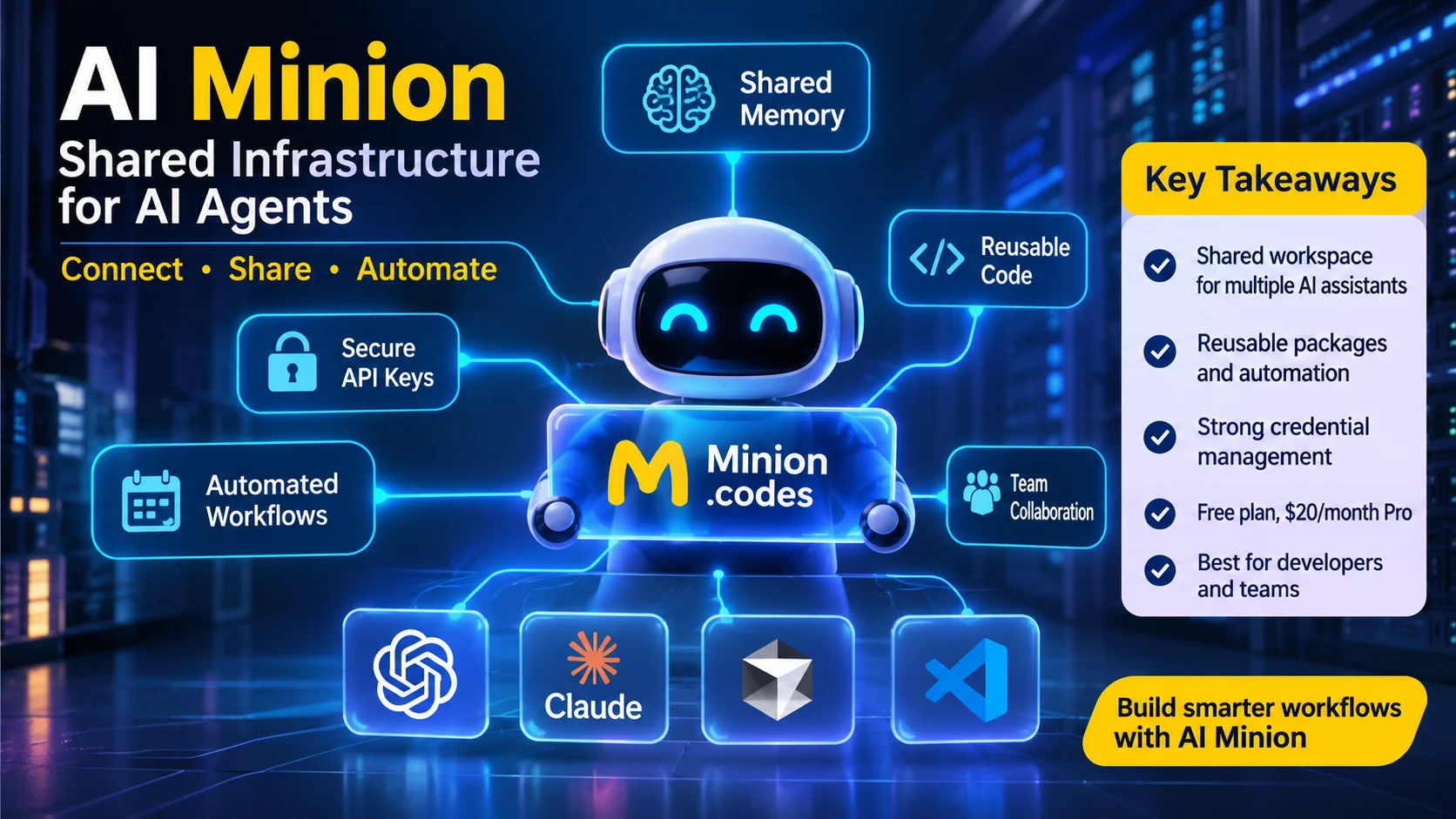
Quick Answer: AI Minion, referring to Minion.codes, is an infrastructure platform that helps AI agents share information, manage credentials, reuse code, and automate tasks. Rather than acting as another chatbot, it gives connected AI assistants a shared environment where their work can continue across different tools and conversations.
What Is AI Minion?
AI Minion is a search term that can refer to different products. This article focuses specifically on Minion.codes, a platform designed to provide shared infrastructure for AI agents.
The problem it addresses is straightforward: AI assistants often keep useful information, instructions, and workflows inside separate applications. Switching between assistants can make it difficult to continue previous work.
Minion.codes offers a shared environment for these resources. Connected AI agents can access the same team memories, saved code, credentials, tasks, integrations, and automation workflows.
For example, you might use Claude to develop a script and later use Cursor or ChatGPT to improve it. Instead of rebuilding everything from the beginning, you can store reusable code and information in Minion.
The important distinction is that Minion does not replace your AI assistant. Your connected agent handles the reasoning, while Minion provides the resources and execution environment.
The platform describes itself as an open-source project released under the MIT license. Its documentation also explains that it does not run its own conversational AI model or charge users for a separate agent reasoning loop. Source: Minion documentation.
How Does AI Minion Work?
Minion works as a shared infrastructure layer between AI assistants and the resources they need.
It uses the Model Context Protocol (MCP) to connect compatible AI applications. MCP provides a standardized way for applications to communicate with external tools and services.
Here is how the process works:
- Connect your AI assistant: Add Minion as an MCP connection in a compatible application.
- Authorize access: Sign in and approve the connection so the assistant can access permitted resources.
- Find the required information: The assistant can search available memories, packages, guides, tasks, and other resources.
- Execute an operation: It can run supported code, use integrations, or perform an approved action.
- Save reusable work: Useful code can become a versioned package that other connected agents can access.
- Automate future tasks: Packages can run through scheduled jobs, webhooks, and supported events without an open chat window.
Minion’s MCP interface centers on two main tools: search and execute. Search helps an agent find the appropriate resource, while execute allows it to perform supported operations.
This separation makes Minion useful for work that needs to continue beyond one AI conversation. Source: First steps documentation.
Key Features of AI Minion
Minion combines several capabilities that help users organize and automate AI-assisted work. Its strongest features are shared memory, reusable packages, credential management, and background execution.
1. Shared Memory Across AI Assistants
Shared memory is one of Minion’s most important features.
Normally, information saved in one AI application does not automatically become available in another. You may need to repeat your preferences, project details, or instructions whenever you change tools.
Minion provides a shared memory system for connected agents within the same team.
For example, you could save a preference about how you want reports written. Another connected assistant can retrieve that information when you start a new task.
The system is designed for durable facts, preferences, identifiers, relationships, and recurring project context.
However, not everything belongs in memory. Minion separates personal or working information from credentials, package configuration, and temporary execution data. Those resources have their own dedicated storage systems.
This separation helps keep shared information organized rather than turning memory into a general storage folder. Source: Shared memory documentation.
2. Secure API Key Management
AI agents often need API keys to communicate with external services. Managing these credentials can become difficult when several assistants or workflows use the same accounts.
Minion provides a central secrets system for storing API credentials.
Instead of placing a key directly inside a prompt, an agent can refer to the stored secret by name. Minion then uses the credential when making an approved request.
According to its privacy documentation, Minion encrypts stored secrets using AES-256-GCM. It also states that agents and package code cannot retrieve the original secret values through its API.
This design reduces the need to expose credentials in AI conversations. However, users should still review which external hosts can receive their secrets and which integrations have permission to access their accounts.
Source: Minion privacy documentation.
3. Reusable Code Packages
Minion uses packages to save code that AI agents create and improve over time.
A package is a versioned collection of code and configuration owned by an organization. Connected agents can find and use its available exports through Minion.
For example, a developer could ask an AI assistant to create a script that collects information from an API and prepares a daily report.
After saving that code as a package, the developer can reuse it instead of asking another assistant to write the same script again.
Packages can also include:
- Reusable code exports.
- Scheduled jobs.
- Webhook endpoints.
- Event subscriptions.
- Persistent key-value storage.
- Individual SQLite databases.
- Small hosted web applications.
This makes packages more than ordinary code snippets. They can become reusable components that support ongoing automation.
One important detail is that saved package versions must be published before they run. This gives users a versioned way to manage changes. Source: Packages documentation.
4. Background Jobs and Workflow Automation
Minion can continue running certain tasks even when the user closes an AI application.
It supports several ways to trigger saved package code:
- Scheduled jobs: Run code at recurring intervals.
- Webhooks: Start an operation when an external service sends a request.
- Events: Respond to supported activity inside Minion.
- Deferred workflows: Schedule a one-time operation for a later time.
Consider a business that wants to receive a daily summary of new customer activity. A developer could create a package that collects the required information and prepares the report on a schedule.
The workflow can run without keeping an AI chat open.
This is an important difference between Minion and ordinary chatbot automation. The platform can execute previously saved code without sending every step through a conversational AI model.
Minion’s documentation states that scheduled jobs cannot run more frequently than the minimum interval allowed by the user’s plan. The current pricing page lists a minimum interval of 15 minutes. Sources: Jobs documentation and pricing.
5. Integrations and Remote MCP Servers
Minion supports connections to external services through integrations and remote MCP servers.
These terms describe different things:
- Integrations are account connections, such as OAuth-based access to GitHub or Google.
- Packages contain reusable code and automation logic.
- MCP servers provide the communication interface through which AI agents access tools.
For example, a developer could connect a GitHub account through an integration. A saved package could then use that connection to retrieve information or perform an approved operation.
An AI assistant connects to Minion through MCP and can use the package’s available capabilities.
Understanding these differences is useful because connecting an external account is not the same as creating a reusable automation. Each component has its own purpose and permissions. Source: Packages, integrations, and MCP servers.
6. Shared Tasks and Team Collaboration
Minion includes a shared task board for users and connected AI agents.
Teams can create tasks, add descriptions, assign priorities, set due dates, and track progress. Agents can also interact with tasks through the available tools.
For example, an assistant could finish a research task and create a follow-up task for a team member to review the findings.
The task board helps keep work organized outside individual conversations. Another connected agent can access the same team tasks and continue the process.
This can be useful for developers, small teams, and businesses that combine human work with AI-assisted processes.
7. Team Email Inbox
Minion provides an email address for each organization. Connected agents can use the inbox to read, search, and send messages through supported capabilities.
Incoming emails can also trigger workflows.
For example, a business could receive a service request by email. A saved package could process the message and create a task for the appropriate team member.
The platform also documents rules for email access and sending. These controls matter because automated email systems should not become unrestricted channels for sending messages.
Users should configure email permissions carefully and keep human review in place for sensitive communications.
8. Run History and Error Monitoring
Automated workflows need monitoring. Otherwise, users may not know when a scheduled task fails or an external connection stops working.
Minion records execution activity, including run status, timing, results, logs, and errors.
Its dashboard also provides a place to review issues that need human attention. These can include approvals, disconnected accounts, expiring credentials, and failing jobs.
This makes it easier to identify problems and investigate failed operations.
For developers, the ability to review execution history is particularly useful when maintaining workflows that run regularly.
Source: Minion documentation.
What Can You Use AI Minion For?
Minion is most useful when AI assistants are part of an ongoing process rather than occasional conversations.
Here are some practical applications.
Automating Business Processes
Businesses can use Minion to connect AI agents with external services and reusable workflows.
For example, a company could create a package that processes incoming information, updates a connected service, and creates follow-up tasks.
The exact process depends on the integrations and code configured by the user.
Managing Development Work
Developers can save reusable scripts, connect supported services, and share project resources across AI assistants.
This can reduce repeated setup when moving between coding tools.
Building Scheduled Reports
A saved package can collect information from supported services and prepare reports on a recurring schedule.
The process can continue without requiring the developer to keep a chat window open.
Sharing Information Between AI Tools
Users who work with multiple AI assistants can save important information in Minion’s shared memory.
This is useful when project preferences, recurring instructions, or important context need to remain available across different applications.
Organizing Team Work
Teams can combine shared tasks, email workflows, saved packages, and connected agents.
This creates a common environment where people and AI assistants can contribute to the same ongoing work.
These examples represent possible applications of Minion’s documented capabilities. They are not automatic features that work without configuration.
AI Minion Pricing | Is It Free?
Minion.codes offers a free plan and a paid Pro plan. The official pricing page currently lists these options:
| Feature | Free | Pro |
|---|---|---|
| Monthly price | $0 | $20 |
| Execute calls per day | 150 | 500 |
| Execute calls per week | 400 | 1,200 |
| Outbound fetches per day | 1,000 | 15,000 |
| Outbound fetches per week | 2,500 | 40,000 |
| Scheduled jobs | 5 | 5,000 |
| Saved packages | 10 | 10,000 |
| Stored secrets | 25 | 10,000 |
| Storage | 16 MiB | 100 GiB |
| Concurrent workflows | 1 | 200 |
| Emails sent per day | 10 | 200 |
Source: Official Minion pricing page. Prices are shown in USD.
Free Plan
The free plan gives users access to core Minion capabilities without a monthly subscription.
It includes shared tasks, notes, memories, connected agents, packages, secrets, and scheduled jobs.
The limits make it suitable for learning the platform, testing integrations, and building smaller automations.
However, users may reach the execution, storage, or job limits as their workflows grow.
Pro Plan
The Pro plan costs $20 per month according to the current pricing page.
It increases the available capacity for execution, outbound requests, packages, secrets, storage, and concurrent workflows.
This plan is more appropriate for people who rely on Minion for regular development work or ongoing automation.
How Do Usage Limits Work?
Minion applies limits across the team rather than treating every connected AI assistant as a separate account with its own allowance.
Daily limits reset at 00:00 UTC, while weekly limits reset on Monday. When a relevant limit is reached, additional requests stop until the limit resets or the user upgrades.
The pricing page also states that there are no prepaid credits or overage invoices.
Team and enterprise pricing is not currently displayed as a fixed subscription price. The company asks interested organizations to contact it about larger requirements.
Because pricing and quotas can change, check the official pricing page before choosing a plan.
Is AI Minion Safe? Privacy and Security
Security is an important consideration because Minion can store credentials, connected-account information, business messages, and code.
Its documentation describes several security measures. However, it is important to distinguish the company’s published security claims from an independent security assessment.
API Secret Protection
Minion says its stored secrets are encrypted using AES-256-GCM.
Its documented design allows package code to use a secret by name without returning the original value to the agent or package code.
The platform also says known secret values are removed from run results and logs.
Connected Accounts
Minion supports account connections through OAuth integrations.
Its privacy documentation says OAuth tokens are encrypted and only sent to API hosts approved for the relevant connection.
Users should still review which accounts they connect and what permissions those accounts grant.
Data Storage and External Services
Minion stores information such as account details, team membership, packages, memories, notes, inbox messages, connected-account tokens, and execution records.
Its privacy documentation also identifies third-party providers involved in operating the service.
One detail worth understanding is its use of OpenAI for search embeddings when that feature is enabled. According to Minion’s documentation, this process can involve search queries and selected indexed content, including memory and note information, package descriptions, and secret names.
The documentation says actual secret values and OAuth tokens are not sent for this embedding process.
This distinction matters for organizations handling confidential information. Users should review the full privacy policy and decide whether the platform’s data handling fits their requirements.
Data Deletion
Minion’s documentation describes options for exporting team content and deleting a team or account.
Some records may still be retained in modified form for legal or administrative reasons.
Before storing sensitive business information, read the official privacy policy and understand the applicable retention rules.
My assessment: Minion documents specific protections for credentials and connected accounts, but those claims should not be treated as proof of an independent security certification. Organizations with strict compliance requirements should perform their own review before adoption.
Advantages and Limitations of AI Minion
Minion offers a useful approach to managing AI-agent workflows, but its technical focus will not suit every user.
Advantages
- Shared memory: Connected agents can retrieve information from a common team environment.
- Reusable code: Packages allow users to save and reuse automation logic.
- Credential management: Secrets are handled separately from ordinary AI prompts.
- Background execution: Scheduled jobs and event-based workflows can run without an open chat.
- MCP connections: Compatible AI applications can access shared resources through a common protocol.
- Free entry plan: Users can explore the platform before paying for additional capacity.
- Open-source availability: The project is released under the MIT license, according to its documentation.
Limitations
- Not a chatbot: Minion does not provide its own conversational AI assistant.
- Requires a compatible agent: Users need an application that can connect through MCP.
- Technical setup: Building packages and configuring integrations may require development knowledge.
- Usage restrictions: Both plans have limits on executions, storage, jobs, and other resources.
- External dependencies: Some workflows depend on connected services and their availability.
- Permission management: Users remain responsible for reviewing access to accounts, secrets, and automated actions.
The biggest limitation is also part of Minion’s design: it is infrastructure for AI agents, not a simple tool for chatting with AI.
AI Minion Alternatives | Which Tools Are Worth Considering?
Minion operates in the AI-agent infrastructure and automation space. Several other platforms can help users build or manage automated workflows, although they do not all solve the same problem.
1. n8n
n8n is a workflow automation platform that connects applications and services through visual workflows.
It is worth considering if your main goal is to automate processes between business applications or build workflows with visual controls.
Choose n8n when: You primarily need application-to-application workflow automation.
2. LangChain
LangChain provides frameworks and tools for developing AI-powered applications and agents.
It is more development-focused and gives programmers building blocks for creating custom AI systems.
Choose LangChain when: You want to build and customize AI applications rather than manage shared agent resources through a hosted platform.
3. Zapier
Zapier helps users connect applications and automate repetitive tasks without building every integration manually.
Its approach is accessible to people who prefer a more visual, low-code automation experience.
Choose Zapier when: You want straightforward business automation between supported applications.
Comparison: AI Minion vs. Alternatives
| Platform | Main focus | Best suited for |
|---|---|---|
| Minion.codes | Shared AI-agent infrastructure | Users working with multiple AI assistants |
| n8n | Workflow automation | Developers and automation teams |
| LangChain | AI application development | Developers building custom AI agents |
| Zapier | App-to-app automation | Businesses and non-technical users |
These platforms are not direct substitutes. The best choice depends on whether you need shared agent resources, visual automation, or a development framework.
How to Get Started With AI Minion
Getting started is relatively straightforward if you already use an AI application that supports MCP.
Step 1: Visit Minion.codes
Open the official Minion website and review the features and available plans.
You can begin with the free option if you want to test the platform.
Step 2: Create an Account
Follow the registration process and complete the account setup.
Your Minion organization provides the shared environment for its connected agents and resources.
Step 3: Connect Your AI Assistant
Use the connection instructions for your chosen AI application.
Minion provides an MCP connection at:
https://app.minion.codes/mcp
The exact setup process depends on the application you use.
Step 4: Authorize the Connection
Sign in when prompted and approve the requested access.
Review the permissions before allowing an AI application to interact with your Minion resources.
Step 5: Test a Simple Task
Start with something small, such as saving a memory or creating a shared task.
Then try connecting a second AI assistant and checking whether it can access the same information.
Step 6: Build a Reusable Workflow
Once you understand the basics, create a package that performs a repeatable operation.
You can explore scheduled jobs, integrations, and webhooks as your requirements become more advanced.
For detailed instructions, use the official Minion documentation.
Who Should Use AI Minion?
Minion is particularly relevant to people who already use AI assistants for ongoing work.
Developers may appreciate reusable packages, external integrations, and persistent storage.
AI automation builders can use scheduled jobs, webhooks, and events to create workflows that operate beyond individual conversations.
Businesses and teams can organize shared tasks, credentials, email processes, and agent resources.
Frequent AI users may find shared memory useful when switching between compatible assistants.
However, casual users who only need help writing emails, answering questions, or generating ideas may not need Minion’s additional infrastructure.
Is AI Minion Worth Using?
AI Minion addresses a practical problem: AI assistants often operate in separate environments, making it difficult to preserve useful work across tools.
Minion.codes brings shared memory, credentials, reusable packages, integrations, and automation into one environment.
Its biggest strength is not generating better answers. It is helping AI agents use information and workflows that remain available after a conversation ends.
The free plan makes it possible to explore the platform, while the $20 monthly Pro plan offers more capacity for regular use.
However, Minion is better suited to developers, technical users, and automation-focused teams than people looking for a simple chatbot.
Overall, Minion.codes is worth exploring if you want your AI agents to share resources, reuse code, and perform ongoing tasks. Just make sure its technical requirements and data-handling approach fit your needs before relying on it for important workflows.
Frequently Asked Questions
1. What is AI Minion used for?
AI Minion, referring to Minion.codes, provides shared infrastructure for AI agents. It helps connected assistants access memories, manage credentials, reuse code packages, and run automated workflows.
2. Is AI Minion free to use?
Yes. Minion.codes offers a free plan with limited usage. Its official pricing page also lists a Pro plan for $20 per month.
3. Does AI Minion have its own AI model?
No. Minion does not run its own conversational AI model or agent reasoning loop. Your connected AI assistant handles reasoning while Minion provides shared resources and execution capabilities.
4. Which AI assistants work with Minion?
Minion supports applications that connect through MCP. Its website identifies ChatGPT, Claude, Cursor, Codex, Claude Code, and other compatible agents.
5. Is AI Minion safe for API keys?
Minion says it encrypts stored secrets using AES-256-GCM and prevents agents from retrieving their original values. Users should still review permissions, approved destinations, and connected services.
6. Can AI Minion run tasks without an open chat?
Yes. Minion supports scheduled jobs, webhooks, events, and deferred workflows that can execute saved package code without an AI chat window remaining open.
Conclusion
AI Minion offers a practical way to make AI assistants work together through shared memory, reusable code, secure credential management, and automated workflows. Instead of replacing existing AI tools, Minion.codes gives them a common infrastructure where information and tasks can continue across different applications. Its free plan makes it accessible for testing, while the Pro plan provides additional capacity for regular use. Although beginners may find its technical setup challenging, developers and automation-focused teams can benefit from its flexible features. Overall, AI Minion is worth exploring if you want to build more connected, organized, and efficient AI-agent workflows.