Quick Answer: Comp AI is an AI-powered compliance automation platform that helps businesses manage security requirements, collect audit evidence, and monitor compliance controls. It offers a free, self-hosted Community Edition and a separate managed Cloud product for organizations seeking additional support and commercial features.
What Is Comp AI?
Comp AI is a compliance automation platform designed to help businesses manage security and regulatory requirements.
It focuses on a problem that many growing companies experience: preparing for compliance assessments requires substantial documentation, evidence collection, access reviews, and ongoing security checks.
For example, a SaaS company preparing for SOC 2 may need to demonstrate how it manages employee access, protects customer information, monitors infrastructure, and handles security incidents.
Traditionally, teams coordinate these activities through spreadsheets, emails, shared folders, and manual reviews.
Comp AI aims to bring these activities into a more organized workflow.
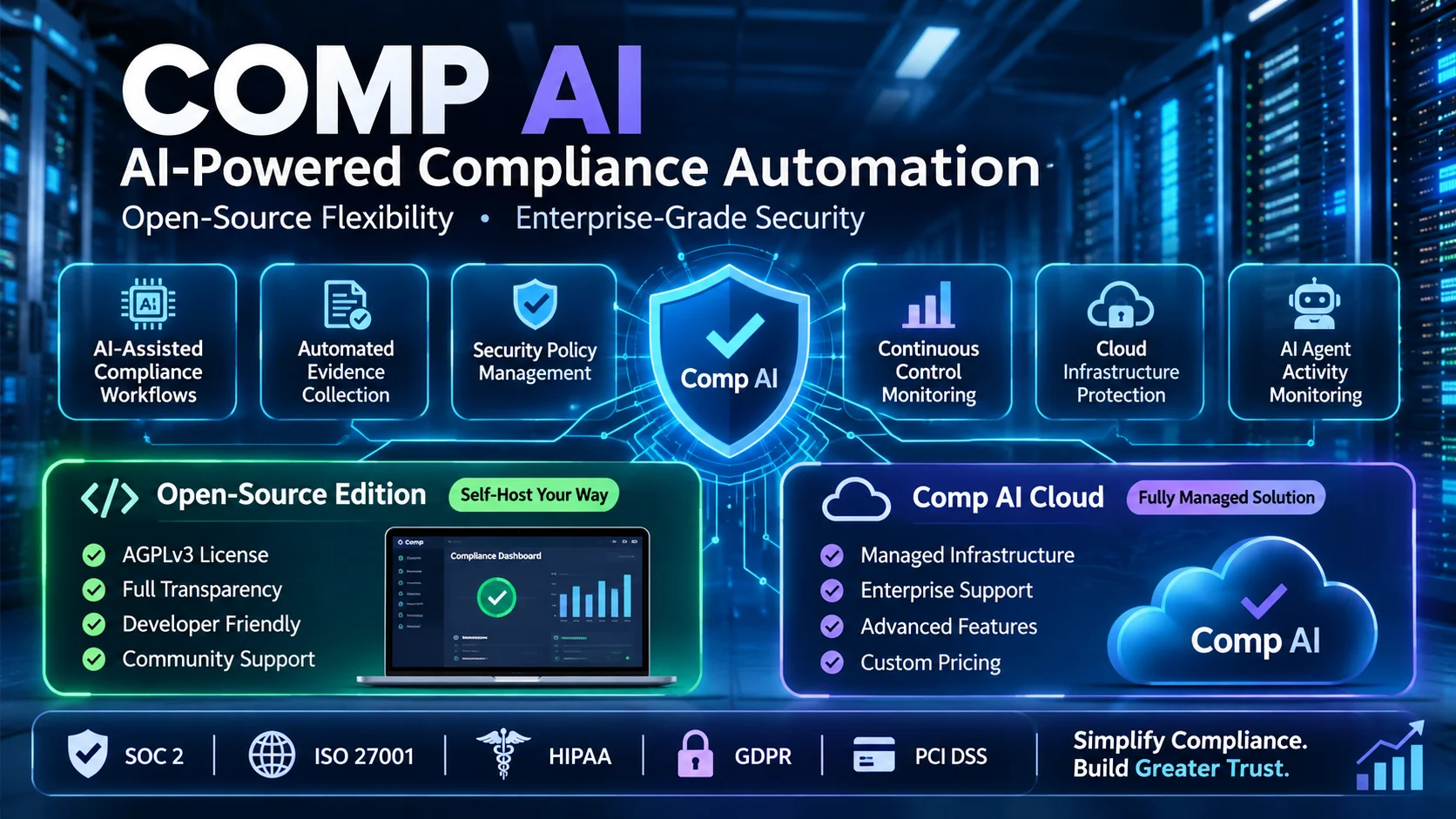
Its core capabilities include:
- Automated evidence collection.
- Security policy management.
- Compliance control monitoring.
- Employee and device security checks.
- Vendor risk management.
- Audit preparation.
- Customer-facing trust documentation.
The platform is particularly relevant to startups and software businesses that need to demonstrate security maturity to enterprise customers.
Who Developed Comp AI?
Comp AI is operated by Bubba AI, Inc., which also uses the Comp AI name commercially.
Its public GitHub repository describes the Community Edition as an open-source compliance platform maintained by the company and its developer community.
An important distinction is that the public repository represents the Community Edition, not the complete managed Cloud product. The company maintains the two products separately. Vanta & Drata Alternative ·
How Does Comp AI Work?
Comp AI connects business systems with compliance requirements. It then helps teams collect relevant information and organize their compliance activities.
The following workflow explains its general approach.
1. Connecting Business Applications
Businesses first connect relevant systems to their compliance environment.
These may include cloud infrastructure, identity management platforms, employee systems, and development tools.
The purpose is to make security information available without repeatedly requesting documents from employees.
However, the number of integrations alone does not establish their usefulness. Businesses should check the exact permissions, supported data fields, synchronization frequency, and available compliance checks.
2. Collecting Compliance Evidence
Evidence is documentation or system information that demonstrates whether a security control is operating.
Consider employee access management.
A company may need to demonstrate that employees receive appropriate permissions and that access is removed when someone leaves.
A connected system can provide information about user accounts and permissions.
Comp AI helps organize this evidence for compliance workflows.
Why this matters: Automated collection can reduce administrative work, but evidence still requires context. An account list, for example, does not independently prove that every permission is appropriate.
3. Managing Security Policies
Businesses need documented policies that explain their security procedures.
Examples include:
- Access control policies.
- Password management policies.
- Incident response procedures.
- Data protection policies.
- Employee onboarding and offboarding procedures.
Comp AI provides policy management and AI-assisted policy generation.
These capabilities can help teams create initial documentation. However, a policy must reflect actual business practices rather than simply contain appropriate security terminology.
Management should review and approve generated documents before treating them as official company policies.
4. Monitoring Security Controls
Compliance requirements do not disappear after an audit.
Companies must continue managing access permissions, security configurations, employee devices, and other controls.
Comp AI supports ongoing compliance monitoring to help identify changes that require attention.
This approach can provide better visibility than relying exclusively on occasional spreadsheet reviews.
However, organizations should confirm which checks run automatically and which require manual evidence or employee action.
5. Organizing Audit Preparation
Once evidence and policies are available, compliance teams can use the platform to organize assessment activities.
The purpose is to reduce repeated requests and make documentation easier to review.
An important distinction remains: Comp AI helps prepare a business for an audit. The independent auditor or relevant certification body determines whether the applicable requirements have been satisfied.
Main Features of Comp AI
Comp AI combines several functions within its compliance management environment.
AI-Assisted Compliance Workflows
AI can help with tasks such as preparing policy drafts, analyzing information, and generating compliance recommendations.
This is useful because compliance teams often work with large amounts of documentation.
However, AI-generated recommendations should not be confused with verified security findings.
For example, an AI-generated policy may describe an access review procedure that the company does not actually perform.
A human reviewer must confirm that the documentation reflects real operations.
Automated Evidence Collection
Evidence collection is a major part of compliance preparation.
Comp AI helps retrieve and organize relevant information from connected services.
This can reduce repetitive document requests and manual data gathering.
When evaluating this feature, ask:
- Does the integration collect evidence automatically?
- How frequently does it synchronize?
- Does it preserve historical evidence?
- Can reviewers identify the source of each item?
- What happens when an integration stops working?
These questions are more useful than relying on a large integration count.
Browser-Based Automation
Some applications do not provide suitable APIs for retrieving compliance information.
Browser automation can help interact with web-based systems and collect relevant information through their interfaces.
This approach can expand automation possibilities.
However, browser-based workflows also introduce operational considerations. Organizations should examine credential storage, access permissions, session management, and failure handling.
Security Policy Management
Comp AI helps businesses organize security policies and related compliance documentation.
This is particularly useful for startups establishing formal security procedures for the first time.
The important requirement is maintaining consistency between written policies and actual company behavior.
Device Security Monitoring
Employee devices can create security risks when encryption, screen locking, or other protective settings are missing.
Comp AI’s device agent is intended to help monitor endpoint security configurations.
Its public release history describes checks for disk encryption, antivirus protection, password requirements, and screen locking. It also documents guided remediation for certain settings. GitHub
These checks can support endpoint compliance, but they do not replace a complete endpoint detection and response system.
Customer Trust Center
Enterprise customers often request security information before approving a SaaS provider.
A trust center provides a central location for approved security and compliance documentation.
Comp AI offers a trust center designed to help businesses share relevant security information with customers.
Organizations should control which documents are publicly accessible and ensure that published claims remain accurate.
Vendor Risk Management
Businesses depend on third-party providers for cloud hosting, payments, communication, and data processing.
These relationships can introduce security risks.
Comp AI includes vendor risk-related capabilities intended to help teams organize assessments and security information.
However, automated research cannot independently establish that a supplier is safe. Critical vendors still require appropriate due diligence.
Which Compliance Frameworks Does Comp AI Support?
Comp AI’s official pricing page lists support for several frameworks and compliance requirements. Comp AI
| Framework | What it addresses |
|---|---|
| SOC 2 | Controls related to security, availability, processing integrity, confidentiality, and privacy |
| ISO 27001 | Information security management systems |
| HIPAA | Protection of applicable healthcare information in the United States |
| GDPR | Personal data protection in relevant jurisdictions |
| PCI DSS | Payment card information security |
| SOC 1 | Controls relevant to financial reporting |
| ISO 42001 | Artificial intelligence management systems |
| ISO 9001 | Quality management |
| NIST | Cybersecurity and risk management frameworks |
| CCPA | California consumer privacy requirements |
| FedRAMP | Security assessment and authorization for applicable federal cloud services |
| NEN 7510 | Information security in Dutch healthcare |
Does Supporting a Framework Mean a Company Is Certified?
No.
This is one of the most important distinctions when evaluating compliance automation software.
A platform may help organize evidence and monitor controls, but using it does not automatically make a business compliant.
For example, SOC 2 requires an independent CPA examination of relevant controls.
Similarly, ISO 27001 certification involves an appropriate certification audit.
Businesses must implement the required safeguards, maintain documentation, and complete the relevant assessment process.
Comp AI Community Edition vs. Cloud
This is arguably the most important part of understanding the product.
Comp AI has two separate editions with different ownership, deployment, and support arrangements.
Comp AI Community Edition
Free and open-source
- Self-hosted deployment.
- AGPLv3 license.
- Public GitHub repository.
- Community-based support.
Comp AI Cloud
Commercial product
- Fully managed hosting.
- Proprietary codebase.
- Managed infrastructure.
- Additional commercial capabilities.
The distinction has practical consequences.
A developer who wants to inspect the source code can start with the Community Edition.
A company that prefers managed infrastructure and dedicated support may consider Comp AI Cloud.
However, the Cloud version does not simply represent the same open-source software running on someone else’s server. The company explicitly describes it as a separate product with its own features, fixes, and development timelines. Vanta & Drata Alternative · GitHub
What Does Self-Hosting Actually Require?
Self-hosting gives an organization more control over deployment, but it also creates technical responsibilities.
Comp AI’s published self-hosting documentation identifies requirements that include:
- Docker-based deployment.
- PostgreSQL database infrastructure.
- Authentication and application secrets.
- Email configuration through Resend.
- Workflow infrastructure through Trigger.dev.
- Environment configuration for the application and portal.
This is an important detail that a basic open-source description can overlook. Self-hosting does not necessarily mean that every supporting service runs locally or that the organization has no external dependencies. GitHub
Organizations should review these dependencies before planning a production deployment.
Comp AI Pricing: How Much Does It Cost?
Comp AI has different pricing arrangements for its Community Edition and managed Cloud product.
| Edition | Price | What you get |
|---|---|---|
| Community Edition | Free | Self-hosted open-source software |
| Comp AI Cloud | Custom pricing | Managed platform and commercial support |
The Community Edition does not charge a software subscription fee. However, organizations still need to account for infrastructure, maintenance, configuration, and technical support.
The Cloud version uses customized pricing rather than a publicly displayed subscription table. Comp AI+1
What Determines Comp AI Cloud Pricing?
According to its official pricing page, four factors influence the quotation.
1. Compliance frameworks
A company pursuing SOC 2 alone may have different requirements from one pursuing SOC 2, ISO 27001, and HIPAA together.
2. Company size
Employee numbers affect device coverage, access reviews, and the overall compliance workload.
3. Implementation timeline
A company requesting a rapid audit-readiness project may require a different implementation plan.
4. Additional services
Audit coordination, penetration testing, and trust center requirements can affect the overall quotation.
Comp AI offers a 20-minute pricing consultation through its website.
The Hidden Cost of Free Compliance Software
Free software does not necessarily mean free compliance operations.
A self-hosted deployment may require:
- Cloud server expenses.
- Database hosting.
- Developer time.
- Infrastructure monitoring.
- Backup management.
- Security updates.
- Integration maintenance.
- Internal compliance reviews.
For a technically capable startup, these costs may be manageable.
For a company without an engineering or security team, managed software could offer better operational value.
My recommendation: Compare the total cost of ownership rather than choosing a platform based on its subscription price alone.
Comp AI Privacy and Security
Compliance software often handles sensitive business information.
This may include employee details, infrastructure configurations, access permissions, vendor records, and security documentation.
Therefore, privacy and security should be part of the purchasing decision, not an afterthought.
Data Encryption
Comp AI states that its managed platform uses AES-256 encryption for stored data and TLS for data in transit.
It also states that integration credentials and sensitive tokens receive application-level encryption before storage. Comp AI
These are company-published security statements. Organizations should request the supporting technical documentation when conducting vendor assessments.
AI Providers and Customer Data
One important detail appears in Comp AI’s published subprocessor documentation.
The company identifies Anthropic and OpenAI as AI service providers used for platform features such as policy generation, risk analysis, and compliance recommendations.
It states that these providers process customer data to deliver the requested services and are not permitted to use that data for model training under the applicable arrangements. Comp AI
This means buyers should evaluate not only Comp AI but also its AI subprocessors.
Questions worth asking include:
- Which information is sent to AI providers?
- Are prompts and outputs retained?
- What contractual data protection terms apply?
- Can customers restrict AI processing?
- Are regional processing requirements supported?
Data Retention and International Transfers
Comp AI’s privacy policy was updated on October 5, 2026.
It explains that personal information is retained as necessary for service delivery and other stated purposes, subject to applicable legal requirements.
The policy also explains that the company is based in the United States and that information from international users may be transferred there. Comp AI
The published subprocessor list identifies AWS, Vercel, Stripe, Anthropic, and OpenAI, with US locations listed for these providers. Comp AI
Organizations with strict data residency requirements should review the current Data Processing Agreement and applicable transfer safeguards.
Does Comp AI Have SOC 2 and ISO 27001?
Comp AI’s public trust center currently lists SOC 2 Type I, SOC 2 Type II, ISO 27001, GDPR, and HIPAA as compliant statuses.
It also displays 26 policies, 44 monitored controls, and six subprocessors. However, the page currently lists zero documents publicly available in its document section. Comp AI Trust Center
This is a useful example of why readers should distinguish between a compliance status and the underlying audit evidence.
A procurement team should request access to relevant reports and verify:
- The report’s validity period.
- The legal entity and product covered.
- The scope of the examination.
- Any exceptions or qualifications.
- Whether the report applies to Cloud, Community Edition, or both.
Important: SOC 2 does not automatically establish Zero Data Retention. These are different concepts and require separate verification.
Comp AI vs. Vanta, Drata, Secureframe, and Sprinto
Comp AI competes in the security compliance automation market.
Several established platforms address similar needs, including evidence collection, control monitoring, risk management, and audit preparation.
1. Vanta
Vanta offers compliance automation, security monitoring, risk management, and vendor management.
Target: Startups and enterprises · Pricing: Custom quotation
2. Drata
Drata provides automated compliance workflows, continuous control monitoring, and risk management.
Target: Growing businesses and enterprises · Pricing: Custom quotation
3. Secureframe
Secureframe helps businesses manage compliance requirements, evidence, policies, and audit preparation.
Target: Startups and mid-market companies · Pricing: Confirm with vendor
4. Sprinto
Sprinto focuses on compliance automation and continuous monitoring for cloud-based businesses.
Target: SaaS companies and growing businesses · Pricing: Custom quotation
Detailed Platform Comparison
| Platform | Main strength | Open-source option | Pricing transparency |
|---|---|---|---|
| Comp AI | AI-driven compliance and self-hosting choice | Yes | Cloud requires quotation |
| Vanta | Compliance and security management | No public Community Edition | Custom quotation |
| Drata | Automated controls and risk management | No public Community Edition | Custom quotation |
| Secureframe | Compliance and audit workflows | No public Community Edition | Check current plans |
| Sprinto | Continuous compliance automation | No public Community Edition | Custom quotation |
This comparison focuses on deployment and product positioning rather than claiming that one platform is universally superior.
How Should You Choose Between Them?
Choose based on your actual requirements.
- Consider Comp AI if open-source deployment, technical flexibility, and AI-assisted workflows matter to your team.
- Consider Vanta if you need an established commercial compliance and security management platform.
- Consider Drata if automated control monitoring and risk management are priorities.
- Consider Secureframe if its framework coverage and compliance workflows match your assessment requirements.
- Consider Sprinto if you want to evaluate a cloud-focused compliance automation approach.
Before making a decision, compare the same compliance framework, integrations, employee count, audit scope, and support requirements across vendors.
What Makes Comp AI Different?
Comp AI’s most meaningful distinction is its combination of a public open-source edition and a separate managed commercial platform.
This gives buyers two different ways to approach compliance automation.
However, there is another development worth understanding.
The compliance market is gradually moving beyond static audit preparation toward continuous security oversight.
A business may complete an audit and then introduce new software, employee accounts, integrations, or AI agents.
Those changes can create risks that a previous audit could not have evaluated.
Comp AI has increasingly positioned its product around this broader security problem.
Comp AI’s Move Toward Agentic Security
In September 2026, Comp AI announced a $34 million Series A funding round led by Roo Capital and Grand Ventures.
TechCrunch independently reported the funding and discussed the company’s direction toward more continuous, agentic security and compliance capabilities. TechCrunch+1
The broader idea is that AI agents and automated systems can introduce new security risks.
For example, an AI agent might receive permission to access customer records or modify internal systems.
A company then needs to understand what the agent can access, what actions it performs, and whether those activities remain within approved boundaries.
This creates demand for security monitoring that extends beyond traditional compliance checklists.
It is important, however, to distinguish the company’s future direction from features that are already generally available. Funding announcements and product roadmaps do not independently demonstrate production capabilities.
Who Should Use Comp AI?
Comp AI is most relevant to organizations that need structured compliance processes and want to reduce manual administrative work.
Startup Founders
Startups preparing for their first security assessment can use compliance automation to organize policies, evidence, and control responsibilities.
SaaS Companies
Software businesses often face security questionnaires during enterprise sales.
A centralized compliance platform can help maintain documentation and respond to customer security requests.
Developers
Developers interested in self-hosted software may find the Community Edition worth evaluating.
However, they should understand the AGPLv3 license and supporting infrastructure requirements.
Security Professionals
Security and compliance teams can use automation to organize control monitoring, evidence collection, and risk-related workflows.
Businesses Pursuing Multiple Frameworks
Companies working toward SOC 2, ISO 27001, or other requirements may benefit from shared control management.
They should still verify that each framework’s individual requirements are properly addressed.
Limitations of Comp AI
A reliable product review should explain where a platform may not be suitable.
Comp AI has several considerations worth examining.
1. Automation Cannot Guarantee Certification
AI can generate documents and organize evidence, but it cannot independently prove that a company follows every required control.
Human reviews and independent assessments remain necessary.
2. Self-Hosting Requires Technical Knowledge
The Community Edition requires infrastructure management and supporting services.
Businesses without engineering resources may find this operational responsibility difficult.
3. Cloud Pricing Requires Direct Contact
The absence of a standard public price list makes direct cost comparison harder.
Buyers should request a detailed quotation before committing.
4. The Two Editions Are Different Products
Cloud features should not automatically be assumed to exist in the Community Edition.
The company maintains separate codebases and development processes.
5. Third-Party AI Providers Matter
The use of external AI providers creates additional data governance considerations.
Businesses should examine the applicable contracts, subprocessors, and retention terms.
6. Integrations Need Practical Testing
An integration count is not a reliable measure of compliance coverage.
Teams should test whether each connection retrieves the evidence required for their particular controls.
Practical Evaluation Checklist Before Choosing Comp AI
Before adopting Comp AI, evaluate these points:
- Confirm whether you need Community Edition or Cloud.
- Check the license and self-hosting requirements.
- Verify support for your exact compliance framework.
- Test important integrations using your own systems.
- Review AI subprocessors and data processing agreements.
- Confirm data retention and international transfer arrangements.
- Request applicable security reports.
- Check audit support and implementation costs.
- Assign employees to review AI-generated policies and evidence.
- Calculate total ownership costs, including infrastructure and maintenance.
This process provides a more reliable basis for choosing compliance software than relying on product marketing alone.
Frequently Asked Questions About Comp AI
1. What is Comp AI used for?
Comp AI helps businesses automate compliance activities, including evidence collection, policy management, security monitoring, and audit preparation. It supports frameworks such as SOC 2, ISO 27001, HIPAA, and GDPR.
2. Is Comp AI free?
Yes. The Community Edition is free and open-source under AGPLv3. Comp AI Cloud is a separate paid service with customized pricing.
3. Is Comp AI suitable for small businesses?
Yes. Small businesses and startups can use it to organize compliance activities and reduce manual documentation. However, self-hosting requires technical resources.
4. Does Comp AI guarantee SOC 2 certification?
No. Comp AI helps businesses prepare for SOC 2 assessments by organizing evidence and monitoring controls. Certification and examination decisions remain with the appropriate independent professionals.
5. Is Comp AI better than Vanta or Drata?
It depends on business requirements. Comp AI offers an open-source self-hosted option, while Vanta and Drata focus on proprietary managed platforms. Compare integration coverage, pricing, support, and framework requirements before choosing.
Conclusion
Comp AI brings AI-assisted automation to security compliance and governance. Its evidence collection, policy management, monitoring capabilities, and open-source Community Edition make it an interesting option for modern businesses. Its biggest distinction is the choice between self-hosted software and managed Cloud services.
However, companies should carefully evaluate infrastructure requirements, data privacy, AI subprocessors, and actual compliance coverage. For startups and SaaS businesses, Comp AI is worth considering, provided its capabilities match their security and operational requirements.