Quick Answer: An AI corrector is a writing tool that uses artificial intelligence to identify and suggest corrections for grammar, spelling, punctuation, clarity, and style. It helps people improve written content, but users should review its suggestions to protect the original meaning, accuracy, and tone.
What Is an AI Corrector?
An AI corrector is a digital writing assistant that analyzes text and identifies possible language mistakes. It can suggest corrections for misspelled words, incorrect grammar, punctuation problems, awkward sentences, and unclear expressions.
Traditional spellcheckers mainly identify spelling mistakes. Modern AI correctors can examine a sentence in context and recommend changes that make it easier to understand.
For example, consider this sentence:
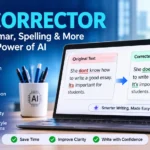
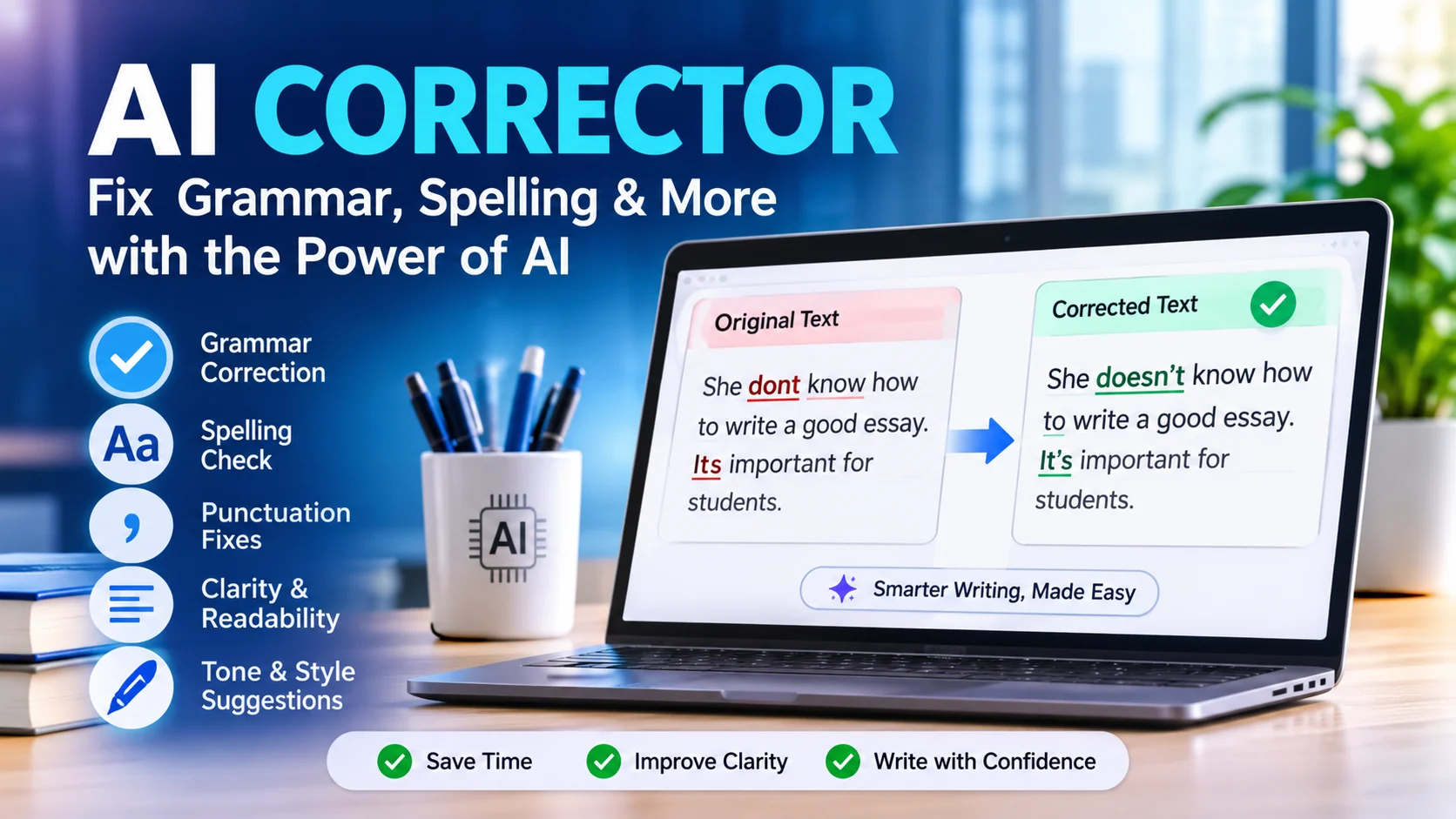
Original: She don’t knows how to complete the assignment.
Corrected: She doesn’t know how to complete the assignment.
The tool identifies the subject-verb agreement problem and suggests a grammatically correct version.
More advanced writing assistants can also recommend shorter sentences, replace repetitive words, or adjust the tone. However, not every AI corrector includes all these features. Capabilities depend on the product and subscription plan.
An important distinction is that an AI corrector is not necessarily an AI content generator. Its main purpose is to review and improve text that already exists, although some tools combine correction with rewriting and content generation.
How Does an AI Corrector Work?
AI correctors use language-processing technologies to examine written content. Depending on the tool, these technologies may include natural language processing (NLP), machine-learning models, and large language models.
The exact systems differ between products, but the correction process generally follows these steps.
1. Text Analysis
First, the tool examines the submitted text. It identifies words, sentences, punctuation marks, and relationships between different parts of a sentence.
This helps the system understand how the text is structured rather than treating every word as an isolated item.
2. Error Detection
The system looks for possible problems, including:
- Misspelled words
- Incorrect verb forms
- Subject-verb agreement errors
- Missing or unnecessary punctuation
- Incorrect word usage
- Repeated words
- Unclear sentence structures
Some tools also identify style-related issues, such as wordiness and unnecessary passive constructions.
3. Contextual Understanding
A useful AI corrector considers the surrounding words before recommending a change.
For example:
- “I read a book yesterday.”
- “I will read a book tomorrow.”
The word read has the same spelling in both sentences, but its pronunciation and grammatical role depend on context. A correction system must consider the sentence to understand how the word is being used.
Contextual analysis also helps distinguish between words that sound similar but have different meanings.
4. Correction Suggestions
After detecting a possible issue, the tool presents one or more suggestions. Depending on the product, users may accept, reject, or modify the proposed correction.
Some tools explain why a sentence needs improvement. Others provide a revised version without giving a detailed explanation.
5. Final Review
The user reviews the corrected text before using it. This step is important because an AI tool can make an incorrect recommendation, especially when a sentence contains technical terms, names, abbreviations, or specialized language.
The goal is not to accept every suggestion. It is to use AI recommendations to produce clearer and more accurate writing.
Main Features of an AI Corrector
AI correction tools offer different capabilities. The following features are common across many writing assistants, although availability varies by product.
Grammar Correction
Grammar correction identifies problems with sentence structure, verb forms, subject-verb agreement, articles, prepositions, and other grammatical rules.
For example:
Incorrect: They was waiting outside.
Correct: They were waiting outside.
This feature is useful for students, professionals, bloggers, and people writing in a second language.
Spelling Correction
Spelling correction detects misspelled words and suggests alternatives.
For example:
Incorrect: I recieved your mesage.
Correct: I received your message.
Some tools can also identify words that are correctly spelled but incorrectly used in a sentence. This is more useful than checking spelling alone.
Punctuation Correction
Punctuation tools identify missing commas, unnecessary apostrophes, incorrect periods, and other punctuation problems.
For example:
Incorrect: Before leaving please close the window.
Improved: Before leaving, please close the window.
The suggested punctuation can make sentences easier to read and understand.
Clarity and Readability Suggestions
Some AI correctors identify sentences that are too long, confusing, or difficult to follow.
For example:
Original: Due to the fact that the meeting was postponed, we decided to return to the office.
Improved: Because the meeting was postponed, we returned to the office.
The revised sentence communicates the same basic idea with fewer words.
Tone and Style Improvements
Advanced writing assistants may recommend changes to make text sound more formal, friendly, confident, professional, or concise.
This can help when adapting a message for a particular audience. However, tone suggestions are subjective. A formal rewrite is not automatically better than a conversational one.
Paraphrasing and Rewriting
Some tools offer paraphrasing features that rewrite sentences while attempting to preserve their meaning.
For example:
Original: The company introduced a new system to improve customer service.
Paraphrased: The company launched a new system designed to enhance customer support.
Paraphrasing is useful when a sentence sounds repetitive or awkward. Users should still check whether the revised version accurately represents the original information.
Best AI Corrector Tools to Consider
There is no single AI corrector that is best for every user. Some tools focus on everyday grammar, while others provide detailed writing reports or paraphrasing features.
The following products have established writing-assistance features. Their free access, paid features, and supported languages differ, so check the current plan details before subscribing.
1. Grammarly
Grammarly is a widely used writing assistant for checking grammar, spelling, punctuation, clarity, and tone. It provides suggestions while users write in supported applications and websites.
Its free plan includes basic writing assistance. The Pro plan adds features such as full-sentence rewrites, additional tone controls, and other advanced writing capabilities. The exact features depend on the current subscription and eligibility.
Best for: Everyday English writing, emails, professional communication, and general editing.
Limitation: Some advanced features require a paid plan. Users should also review privacy settings before submitting sensitive information. Grammarly explains its data processing and product-improvement controls in its official privacy documentation. Grammarly Support
Official website: Grammarly
2. LanguageTool
LanguageTool checks grammar, spelling, punctuation, and writing style. It supports multiple languages and offers browser extensions and integrations for different writing environments.
Its official Premium page lists advanced writing checks, AI-powered sentence paraphrasing, a personal style guide, and a higher text-field character limit. The page currently lists a limit of up to 150,000 characters per text field for Premium, compared with 2,000 characters for Basic.
Best for: Multilingual writing, grammar checks, and style improvements.
Limitation: The depth of correction varies by language. A feature available for English may not work in the same way for every supported language.
Official website: LanguageTool
3. QuillBot
QuillBot combines grammar checking with paraphrasing and other writing tools. Its Grammar Checker can identify grammar, spelling, and punctuation errors. Premium adds advanced recommendations, including suggestions related to passive voice, repeated expressions, clarity, and conciseness. Quillbot Help Center
The free plan provides basic grammar correction, while Premium offers broader access to advanced writing features. QuillBot’s official pricing page currently displays an annual Premium price of $8.33 per month when billed annually. Prices and limits may change.
Best for: Students, bloggers, and users who want grammar correction and paraphrasing in one platform.
Limitation: Paraphrasing can change the emphasis or meaning of a sentence. Always compare rewritten text with the original.
Official website: QuillBot
4. ProWritingAid
ProWritingAid offers grammar and spelling checks alongside detailed writing analysis. Its reports can help users examine readability, repeated words, sentence structure, and other style issues.
The Free plan includes grammar, spelling, and punctuation checks, but limits some editing reports and rephrasing features. The official pricing page currently lists Premium at $10 per month when billed yearly, or $30 per month when billed monthly.
Best for: Long-form writing, authors, bloggers, and users who want detailed editing feedback.
Limitation: Its many reports and suggestions may feel excessive for someone who only needs a quick spelling or grammar check.
Official website: ProWritingAid
5. Microsoft Editor
Microsoft Editor provides spelling, grammar, and writing suggestions in supported Microsoft products and through its browser extension. The Microsoft also offers basic writing assistance through its Edge browser.
Feature availability depends on the product, subscription, and language. Microsoft’s documentation lists grammar and writing refinements for some languages, while other languages have spelling support only. For example, its language availability table lists Urdu spelling support but not Urdu grammar checking or writing refinements.
Best for: People who already use Microsoft Word, Outlook, or Edge.
Limitation: Not all features are available in every language or Microsoft product.
Official website: Microsoft Editor
AI Corrector Tools Compared
| Tool | Main strength | Free access | Important limitation |
|---|---|---|---|
| Grammarly | Grammar, clarity, and tone | Yes | Advanced features require a paid plan |
| LanguageTool | Multilingual grammar and style checks | Yes | Language-specific feature differences |
| QuillBot | Grammar checking and paraphrasing | Yes | Rewriting may change meaning |
| ProWritingAid | Detailed writing analysis | Yes | Some reports and features are limited |
| Microsoft Editor | Microsoft app integration | Yes, for basic features | Language and feature availability varies |
Which one should you choose?
- Choose Grammarly for general English writing and everyday communication.
- Consider LanguageTool if multilingual correction is important.
- Choose QuillBot if you also need paraphrasing.
- Consider ProWritingAid for detailed feedback on longer documents.
- Choose Microsoft Editor if you mainly write in Microsoft applications.
These are practical starting points, not a universal ranking. The right choice depends on your language, document type, budget, and required features.
How to Use an AI Corrector
Most AI correctors follow a similar process. You can use these steps with a browser-based tool or a supported writing application.
Step 1: Open a Writing Tool
Choose an AI corrector that supports your language and writing needs. Check whether you can use it without creating an account or purchasing a subscription.
Step 2: Enter Your Text
Paste your paragraph, email, assignment, or article into the editor. If the tool works inside your browser or writing application, you may be able to check text without copying it into another website.
Step 3: Review Detected Errors
Wait for the tool to analyze your writing. It may highlight spelling mistakes, grammar problems, punctuation issues, and style suggestions.
Step 4: Examine Each Recommendation
Read the suggested correction before accepting it. Check whether it improves the sentence without changing your intended message.
Step 5: Check the Final Version
Read the complete text again. Look for missing information, incorrect names, changed facts, and sentences that sound unnatural.
Step 6: Save or Copy Your Corrected Text
Once you are satisfied, copy the final version or save it in your document. Keep the original draft when the writing is important or difficult to reproduce.
Benefits of Using an AI Corrector
AI correctors can make everyday writing and editing more efficient. Their main benefits include the following.
Saves Editing Time
A writing assistant can identify common mistakes quickly. This reduces the time spent checking every sentence manually.
Helps Improve Grammar
Regular feedback can help users recognize recurring grammar problems. Reviewing explanations and examples can also support language learning.
Makes Writing Easier to Understand
Suggestions about sentence structure, word choice, and clarity can make complicated paragraphs easier to read.
Supports Professional Communication
Emails, reports, proposals, and business messages often need clear and consistent language. An AI corrector can help users identify errors before sending or publishing these documents.
Helps Non-Native English Writers
People who use English as an additional language may find grammar and spelling suggestions useful. However, results depend on the tool’s language support and ability to understand context.
Provides a Convenient First Review
A corrector can act as an initial editing step before a person performs a more detailed review. It does not replace proofreading when accuracy is essential.
Limitations of AI Correctors
AI correctors are useful, but they cannot guarantee perfect writing. Understanding their limitations helps users avoid relying on them too heavily.
They Can Misunderstand Context
A tool may recommend a grammatically correct sentence that does not express the intended meaning. This can happen when the original text contains unusual phrasing, incomplete context, or specialized terminology.
They May Change the Original Meaning
Paraphrasing and rewriting features can replace words or restructure sentences in ways that affect the message. Users should compare important revisions with the original text.
They Do Not Guarantee Factual Accuracy
An AI corrector may improve the grammar of a sentence containing false information. Grammar correction does not verify statistics, research findings, quotations, dates, or references.
Language Support Is Uneven
A product may offer advanced grammar correction in English but only basic spelling checks in another language. Microsoft, for example, lists Urdu spelling support without Urdu grammar and writing-refinement support in its published language table. Microsoft Support
They Can Miss Subtle Errors
AI systems may overlook errors involving irony, wordplay, technical terminology, regional expressions, or complicated sentence structures.
Some Features Require Payment
Free plans often include basic corrections but may limit text length, advanced suggestions, reports, or paraphrasing. Review the current plan details before paying.
Is It Safe to Use an AI Corrector?
The answer depends on the provider, its privacy policy, the type of text you submit, and the settings available to you.
Some writing assistants process text through online services. This means the content may be transmitted to the provider’s systems to generate suggestions. Providers have different policies for data storage, processing, security, and product improvement.
For example, Grammarly’s official privacy and security documentation describes its encryption practices, use of service providers, and controls related to product improvement and model training. Users should read the current policy rather than assume that all submitted text is automatically excluded from every form of processing. Grammarly Support
Before using any AI corrector, follow these precautions:
- Avoid submitting passwords, financial details, identity documents, or confidential business information.
- Review the provider’s privacy policy and data-retention terms.
- Check whether your text may be used to improve the service.
- Review available privacy and account settings.
- Use an organization-approved tool for confidential workplace documents.
- Do not assume that encryption or a security certification automatically means zero data retention.
For sensitive documents, use a tool only after confirming that its privacy terms meet your requirements.
AI Corrector vs. Traditional Spell Checker
An AI corrector and a traditional spellchecker both help identify writing problems, but their capabilities are different.
| Feature | Traditional spell checker | AI corrector |
|---|---|---|
| Basic spelling | Yes | Yes |
| Grammar checking | Limited or varies | Often more advanced |
| Context-based suggestions | Limited | Available in many tools |
| Punctuation correction | Varies | Common feature |
| Sentence clarity | Usually limited | Available in some tools |
| Tone recommendations | Usually unavailable | Available in some tools |
| Paraphrasing | Usually unavailable | Available in selected tools |
A traditional spellchecker is often sufficient for catching basic typing mistakes. An AI corrector can offer broader feedback about grammar, sentence structure, and style.
However, more advanced features do not automatically make every recommendation correct. Both tools require human review.
Tips for Getting Better Results From an AI Corrector
A few simple practices can improve the quality of your editing process.
- Choose the correct language: Set the language and regional variety before checking your text.
- Provide complete sentences: Context helps the tool understand how words are being used.
- Review suggestions individually: Do not accept every recommendation automatically.
- Protect your writing style: Avoid replacing natural expressions just because the tool suggests a different phrase.
- Check technical terms: Names, product terms, academic vocabulary, and abbreviations may need manual review.
- Verify important information: Check facts and references separately because grammar correction does not establish whether information is true.
- Proofread the final draft: Read the complete document after applying corrections.
You can also use a clear instruction when working with an AI writing assistant:
Copyable editing prompt
Review the text for grammar, spelling, punctuation, and clarity. Correct genuine mistakes while preserving the original meaning, facts, tone, and writing style. Do not add unsupported information or rewrite sentences unnecessarily. Explain any major changes that could affect the meaning.
Copy prompt
Who Should Use an AI Corrector?
An AI corrector can be useful for people who write regularly and want an additional editing step.
- Students: Can check assignments, essays, and general academic writing. They should follow their institution’s rules about AI assistance.
- Bloggers: Can identify grammar problems and improve article readability before publication.
- Professionals: Can review emails, reports, presentations, and business communication.
- Freelancers: Can polish proposals, client messages, and written deliverables.
- Non-native English writers: Can receive suggestions that help them recognize common language mistakes.
- Content teams: Can use writing tools to support consistent editing, subject to their organization’s privacy and editorial policies.
An AI corrector is less useful when the main task requires expert fact-checking, legal review, scientific validation, or a deep understanding of a specialized subject. In those situations, human expertise remains essential.
Frequently Asked Questions
1. What is the best free AI corrector?
The best free AI corrector depends on your requirements. Grammarly, LanguageTool, QuillBot, ProWritingAid, and Microsoft Editor all offer some form of free writing assistance. Compare their language support, usage limits, and correction features before choosing one.
2. Can an AI corrector fix grammar and spelling mistakes?
Yes. Most AI correctors can identify common grammar and spelling problems. Many also check punctuation and sentence clarity. However, their accuracy varies, so users should review the suggested changes.
3. Is an AI corrector better than a grammar checker?
An AI corrector may provide more advanced suggestions than a basic grammar checker, including clarity, tone, and rewriting recommendations. However, the terms sometimes overlap, and the actual capabilities depend on the software.
4. Can I use an AI corrector for academic writing?
Yes, an AI corrector can help review grammar, spelling, and readability in academic writing. However, students should follow their institution’s AI policies and independently verify citations, research claims, and technical information.
5. Do AI correctors change the original meaning?
They can. Some corrections and paraphrasing suggestions may change emphasis, tone, or meaning. Review every important revision and compare it with the original sentence before accepting it.
Conclusion
An AI corrector can make writing clearer by identifying grammar, spelling, punctuation, and sentence-structure problems. Tools such as Grammarly, LanguageTool, QuillBot, ProWritingAid, and Microsoft Editor provide different levels of writing assistance, so the right option depends on your language, budget, and editing needs. However, no AI corrector guarantees perfect results or factual accuracy. Use it as an editing assistant, review its suggestions carefully, and perform a final human check before publishing or submitting important work.