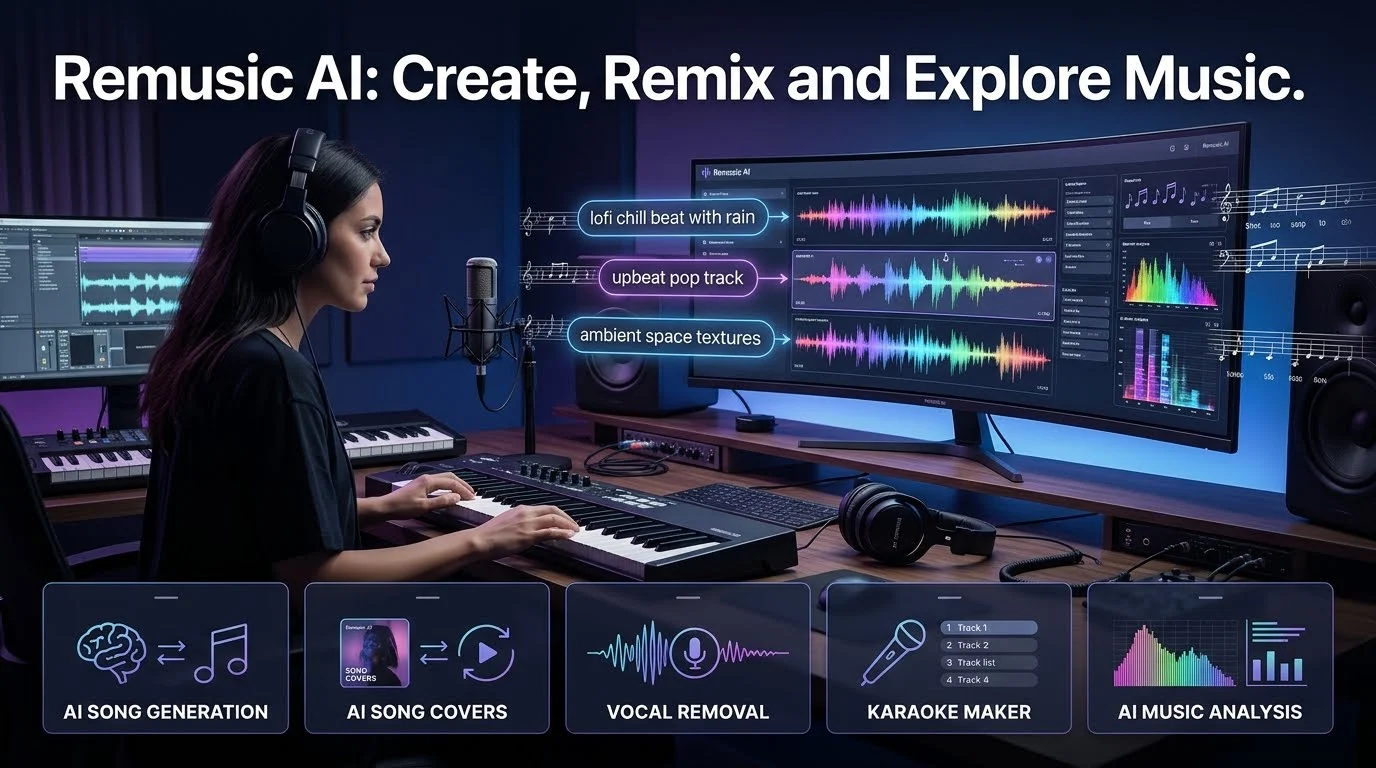
Quick Answer: Remusic AI is an online music platform that uses artificial intelligence to generate songs and instrumental tracks from text prompts or custom lyrics. It also offers AI song covers, vocal removal, karaoke creation, music analysis, sheet music generation, and other audio tools.
Remusic AI is a browser-based platform for creating and editing music with artificial intelligence.It allows users to turn written ideas into songs without traditional recording equipment or advanced music-production knowledge. You can describe a musical concept, enter lyrics, and generate an audio track.
For example, imagine you want to create a relaxing song about a peaceful evening. You can describe the mood, musical style, and instruments you prefer. Remusic AI then generates a track based on those instructions.Remusic’s homepage describes the service as an all-in-one AI music studio. It also displays company-reported figures of more than 500,000 music creators and 20 million creations. These are the platform’s own figures, not independently verified usage statistics. Remusic
How does Remusic AI work?
Remusic AI uses generative music technology to turn user instructions into audio.
You provide a description, lyrics, or musical direction. The platform processes your input and generates a track that you can listen to and download using the available options.
The song generator provides options for inspiration, custom lyrics, musical style, and instrumental output.
1. Enter a music prompt
Start by describing the song you want to create.
You can include details such as:
- Musical genre
- Mood and atmosphere
- Song theme
- Instruments
- Vocal preferences
- Lyrics or story
For example:
Create a soft acoustic pop song about friendship, memories, and growing older. Use gentle guitar, warm vocals, and a nostalgic atmosphere.
A clear description gives the generator a useful creative direction.
2. Add custom lyrics or choose a style
Remusic AI supports custom lyrics. This allows songwriters to use their own words instead of relying entirely on generated lyrics.
You can also select a musical style and describe the direction you want. This is helpful when you already have a melody or lyrical concept in mind.
3. Generate and review the result
After entering your instructions, select the generation option.
The platform processes the request and creates a song. You can listen to the result and review its lyrics before deciding whether to download it.
If the output does not match your expectations, adjust the prompt or lyrics and generate another version. Free to Create Song Online
Key features of Remusic AI
Remusic AI offers several music-generation and audio-processing tools. Each serves a different purpose.
AI music generator
The AI music generator turns written descriptions into instrumental music.
You can describe a mood, scene, or creative idea. The tool then creates music based on your instructions.
This feature may help with:
- Background music for videos
- Podcast soundtracks
- Short-form social media content
- Presentation music
- Creative experiments
The dedicated generator page currently displays 10 free daily credits and a minimum cost of five credits per song. It also promotes text-based instrumental music generation.
AI song generator
The AI song generator creates complete songs from text descriptions or custom lyrics.
Unlike an instrumental-only workflow, this feature can generate music with lyrics and vocals. Users can also choose instrumental output.
The generator page lists support for different musical styles and multilingual creation. It specifically mentions languages such as English, Chinese, Japanese, and Korean. Free to Create Song Online
This feature may appeal to beginners who want to turn a written idea into a musical draft.
AI song cover generator
The AI song cover generator lets users create cover versions with different voices.
Remusic’s homepage advertises a library of more than 10,000 preset voices and an option to clone a user’s own voice. These are company-stated feature claims. Remusic
This feature can help creators experiment with different vocal presentations.
However, voice cloning raises important permission issues. Only clone or use voices when you have the necessary consent and rights. A generated cover also does not automatically become legally cleared simply because AI created it.
AI vocal remover and stem separation
The AI vocal remover separates vocals from a music recording.
Remusic also advertises separation for individual components such as:
- Vocals
- Bass
- Drums
- Guitar
- Piano
This can help users create karaoke backing tracks or prepare audio for further editing.
The results depend on the original recording. Complex arrangements and overlapping sounds can make separation less accurate.
For professional mixing, listen carefully to each exported stem before using it in a finished project.
AI karaoke maker
The AI karaoke maker helps users turn songs into karaoke-style videos.
The platform says the tool can remove vocals, synchronize lyrics, and create a backing track. It also advertises online access without requiring additional software or signup. Remusic
This may be useful for singers, karaoke enthusiasts, and creators preparing lyric-based video content.
Remember that removing vocals does not remove copyright restrictions from the original recording. You still need appropriate permission to use the underlying song.
AI music analyzer
The AI music analyzer examines an audio track and provides musical insights.
Remusic describes analysis of elements such as tempo, melody, bass, and musical structure.
This may help musicians understand a recording or explore how different musical elements work together.
It can also provide a starting point for music-learning activities. However, automated analysis should not replace professional transcription or detailed musical evaluation when accuracy is essential.
AI sheet music generator
Remusic also offers an AI sheet music generator.
The tool is designed to transform music into written musical notation. This may help musicians who want to study a melody or develop a written arrangement.
The platform describes the feature as a way to turn compositions into sheet notation. However, it does not publish independent accuracy benchmarks on the homepage.
Always review generated notation before using it for performance or formal music arrangements.
AI lyrics and sound effects generators
Remusic lists additional tools for lyrics and sound effects.
The lyrics generator can help users develop verses, themes, and songwriting ideas. The sound effects generator offers another way to create audio elements for videos and creative projects.
The platform also lists tools such as an AI rap generator, poem generator, background music generator, and image-to-music feature in its navigation. Availability and usage limits should be checked inside each tool.
AI music video generator
The platform also lists an AI music video generator.
This expands Remusic beyond audio creation by giving users a way to explore visual content associated with music. The homepage lists it among the platform’s core products.
Check the current tool interface for its output options, supported formats, and credit requirements before planning a complete video workflow.
How to create a song with Remusic AI
You can start creating music through the website without learning professional audio software.
Follow these steps:
- Visit Remusic AI: Open the official website at
remusic.ai. - Choose a generator: Select the AI Music Generator or AI Song Generator.
- Enter your idea: Describe the song, mood, theme, or musical style.
- Add lyrics: Use your own lyrics if you want more control over the song.
- Select instrumental output: Choose this option when you do not need vocals.
- Generate the music: Submit your instructions and wait for the result.
- Listen and review: Check the melody, vocals, lyrics, and overall arrangement.
- Download your track: Use the available download option and check the applicable license.
The generator’s published workflow follows the same basic process: enter a description or lyrics, generate the song, then listen and download.
Example of a useful music prompt
A specific prompt can help communicate your creative direction.
Example prompt
Create an emotional pop song about overcoming difficult times and finding hope. Use a gentle piano introduction, expressive vocals, a steady rhythm, and an uplifting chorus.
Prompt example for Remusic AI Copy prompt
Avoid adding too many unrelated genres or contradictory instructions. A focused prompt makes it easier to judge whether the result matches your idea.
Remusic AI pricing and free credits
Remusic AI uses a credit-based system. Its pricing page currently lists three paid packages: Starter, Basic, and Pro.
The following figures reflect the annual-plan display on the official pricing page. Confirm the final billing amount and package details at checkout. Pricing
| Plan | Displayed annual price | Credits |
|---|---|---|
| Starter | $49/year | 700 |
| Basic | $94/year | 2,000 |
| Pro | $249/year | 8,000 |
The page also displays monthly-equivalent figures of approximately $4.10, $7.90, and $20.90. These are not the same as the annual payment amounts.
What does each paid plan include?
All three listed packages include:
- AI lyrics generator
- AI music generator
- AI vocal remover
- AI song cover
- Downloads
- AI music library access
- Commercial license listed as a feature
- Private customer service
The main difference is the credit allowance. Pro provides the largest package, while Starter offers the smallest entry point. Pricing
How does the credit system work?
Credits act as the platform’s usage currency.
Remusic’s pricing page explains that song generation deducts credits. The amount can depend on the features used.
Its song generator currently displays 10 free credits daily and a minimum of five credits per song. This suggests that the free allowance may cover approximately two minimum-cost song generations per day, assuming the user spends credits only on that feature. Free to Create Song Online
Do not assume every tool has the same credit cost. Cover generation, vocal removal, and other features may have separate charges.
What should you check before paying?
The pricing page describes the annual plans as one-time payments that do not automatically renew the following year. However, its general Terms page describes subscriptions as automatically renewing until cancelled. Pricing+1
This difference makes it important to check the exact billing option at checkout.
Also confirm:
- Whether the price is a one-time annual payment or recurring monthly charge.
- How many credits are included.
- Whether unused credits expire.
- Which export formats are available.
- Whether the selected package includes the license you need.
- What refund conditions apply.
The pricing page says annual-plan payments are refundable within 12 hours if credits have not been used. The general Terms page describes different refund conditions, including a 24-hour window for the first payment and exceptions for system errors. Read the terms displayed for your actual purchase before paying. Pricing+1
Can you use Remusic AI music commercially?
Commercial licensing deserves particular attention.
Remusic’s pricing page lists a Commercial License as an included feature across its Starter, Basic, and Pro plans. Its AI Music Generator page also describes generated music as suitable for commercial projects, subject to the platform’s terms.
However, the general Terms and Conditions page contains a broad restriction. It grants permission to download website materials for personal, non-commercial viewing and prohibits commercial use of those materials. The page does not clearly explain how this restriction interacts with the separate commercial-license feature for generated music.
That is an important gap.
Do not assume that every generated track automatically has unrestricted commercial rights.
Before using Remusic music in advertising, client projects, monetized videos, or streaming releases:
- Check the license agreement linked from the pricing page.
- Confirm whether your exact plan covers your intended use.
- Ask Remusic support to clarify any conflict between the pricing page and general terms.
- Save the license and purchase confirmation.
- Keep records showing when and under which plan the track was generated.
There is another legal distinction. A platform’s commercial-use license does not automatically guarantee copyright protection for AI-generated music. Copyright rules vary by jurisdiction and may depend on the human creative contribution.
Privacy and security considerations
Before uploading original recordings or unreleased music, review Remusic’s privacy policy.
The policy identifies Remusic LTD. and describes the collection of information such as IP addresses, browser details, cookies, and account or payment information. It also explains that information may be shared with service providers and business partners.
The policy includes detailed descriptions of advertising analytics, tracking technologies, and international data transfers. It says information may be stored in the United States or other territories. Remusic
However, the published policy does not clearly explain every detail of how uploaded music files are processed, how long audio files are retained, or whether submitted recordings are used to train AI models.
It also does not establish a verified Zero Data Retention policy or SOC 2 certification.
For sensitive projects, ask the company how uploaded recordings are stored, processed, and deleted. Avoid submitting confidential client recordings unless you understand the applicable terms.
Remusic AI advantages and limitations
Remusic AI brings several creative tools together in one browser-based platform. This can make experimentation easier for users who do not want to install multiple applications.
However, convenience does not remove the technical and legal limitations of AI-generated music.
| Advantages | Limitations |
|---|---|
| Generates songs from text and lyrics | Generated music may need editing |
| Offers instrumental music creation | Limited control compared with a full DAW |
| Includes vocal removal and karaoke tools | Separation quality can vary |
| Offers AI song covers and voice options | Voice use requires appropriate permission |
| Provides music analysis and sheet music tools | Accuracy should be checked |
| Offers daily free credits | Credits limit repeated use |
| Lists commercial licenses on paid plans | General terms need clarification |
| Provides several tools in one platform | Privacy and retention details are not fully clear |
The platform is useful for quick creative experiments and early-stage music production. Users who need professional mastering, precise mixing, or detailed licensing guarantees may need additional software and clearer contractual terms.
Remusic AI alternatives: Which platforms should you compare?
Remusic AI operates in a competitive market. Different platforms focus on different parts of music creation.
Three relevant alternatives are Suno, SOUNDRAW, and AIVA.
| Platform | Main purpose | Pricing transparency | Main limitation or consideration |
|---|---|---|---|
| Remusic AI | Songs, covers, vocal removal, and music utilities | Credit packages and paid plans listed | Licensing terms need clarification |
| Suno | Complete songs, vocals, and editing | Public free and paid plans | Free-plan songs do not include commercial rights |
| SOUNDRAW | Background music and artist-focused music creation | Public Creator and Artist plans | Streaming distribution has specific modification rules |
| AIVA | AI-assisted instrumental composition | Free, Standard, and Pro plans | Copyright and monetization depend on the plan |
Remusic AI vs. Suno
Suno focuses on generating complete songs from creative ideas and lyrics.
Its current pricing page lists a free plan with 50 daily credits. However, the free plan does not include commercial rights or monthly song downloads. Paid plans provide additional editing and commercial-use features.
Suno may suit users who want a dedicated song-generation environment. Remusic offers a wider collection of additional utilities, including karaoke, sheet music, and music analysis.
Remusic AI vs. SOUNDRAW
SOUNDRAW focuses on customizable background music and artist-oriented plans.
Its Creator plan is designed for background music in videos and other content. Its Artist plans add options for distributing modified tracks through music services.
SOUNDRAW may suit content creators who need background tracks with defined licensing rules. Remusic may be more interesting for people who want to experiment with songs, covers, and audio-processing tools.
Remusic AI vs. AIVA
AIVA offers AI-assisted music composition in a range of styles.
Its plans distinguish between non-commercial use, limited social-platform monetization, and full copyright ownership. The rights depend on the subscription used when downloading the composition.
AIVA may suit composers and creators who need a more clearly defined licensing structure. Remusic offers a broader collection of audio utilities alongside its music generator.
Who should use Remusic AI?
Remusic AI may suit several types of users.
- Beginners: Create songs without learning complex production software.
- Songwriters: Turn original lyrics into musical drafts.
- Content creators: Explore background music and sound effects.
- Singers: Experiment with different cover voices.
- Karaoke enthusiasts: Create backing tracks and lyric videos.
- Music students: Explore song analysis and sheet music generation.
- Independent musicians: Test musical ideas before refining them in professional software.
It may be less suitable for users who require advanced mixing, precise arrangement controls, or enterprise-level privacy assurances.
Tips for getting better results with Remusic AI
A clear creative direction can make music generation more useful. Try these practical techniques.
Describe the mood and genre clearly
Start with the main musical idea. Include a genre and mood instead of combining several unrelated styles.
For example, describe a peaceful acoustic ballad rather than requesting a mixture of heavy metal, classical, and dance music.
Organize your lyrics
Use clear verses and choruses when providing custom lyrics. Keep lines natural and avoid unnecessary repetition.
A well-organized lyric structure gives you a better starting point for reviewing the generated song.
Choose the right output
Decide whether you need a complete vocal song or instrumental music.
Instrumental tracks are more suitable for narration and background use. Vocal songs may work better for independent music projects and creative experiments.
Review every generated track
Listen to the complete result before downloading it.
Check the lyrics, vocal quality, transitions, melody, and ending. Do not assume that a generated song is ready for professional release.
Check usage rights before publishing
Save the applicable license information and confirm your intended use.
This is especially important when using AI covers, cloned voices, or copyrighted source recordings.
Frequently asked questions
1. Is Remusic AI free to use?
Yes. Remusic AI offers 10 daily credits, while generating one song costs at least five credits. Some advanced features may require a paid plan.
2. Can Remusic AI create songs with vocals?
Yes. Remusic AI supports songs with lyrics and vocals. Users can also provide custom lyrics or generate instrumental music.
3. Can I use Remusic AI music commercially?
Paid plans list commercial licenses, but Remusic’s general Terms include non-commercial restrictions. Verify your specific license before publishing or monetizing music.
4. Does Remusic AI support vocal removal?
Yes. Its AI vocal remover separates vocals and instruments such as bass, drums, guitar, and piano. Results may vary depending on audio quality.
5. What are the best alternatives to Remusic AI?
Suno, SOUNDRAW, and AIVA are useful alternatives. Suno generates complete songs, SOUNDRAW focuses on background music, and AIVA specializes in AI-assisted composition. Compare their licensing terms before choosing.
Conclusion
Remusic AI is an online music creation platform offering song generation, vocal removal, karaoke, music analysis, and sheet music tools. Its variety of features makes it useful for beginners and content creators exploring AI-powered music production.
However, credit limits, audio quality, privacy, and licensing conditions deserve careful consideration. In particular, verify the commercial-use terms for your subscription before distributing or monetizing generated tracks.